
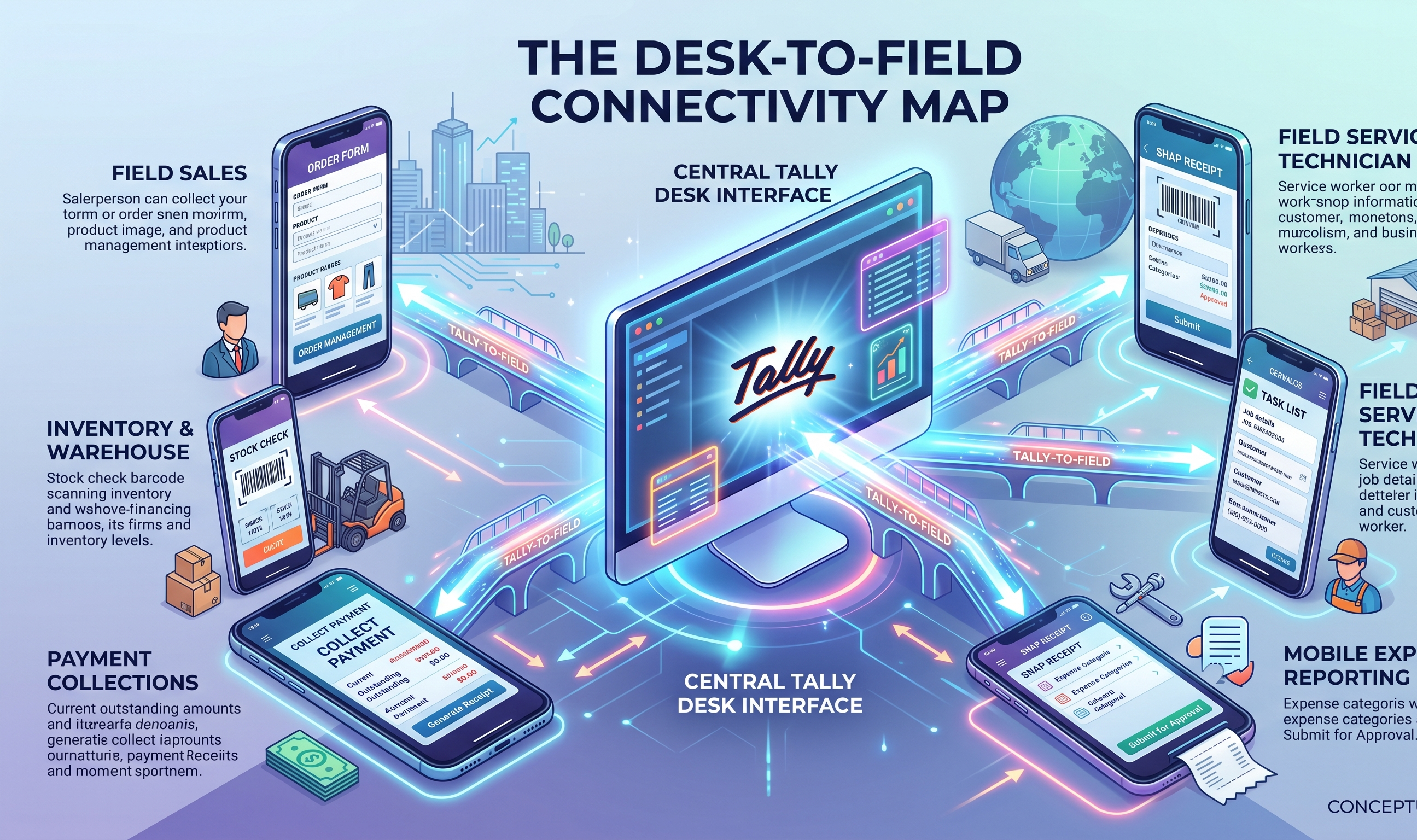
Tally on mobile is never the official Tally product running on your phone, because Tally Prime is a Windows desktop application and the company data file lives on a single office machine. Tally Solutions has shipped no native mobile client, and that goes back to a design decision from the late 1990s. So Tally on mobile always means one of four bridges from your phone to that office machine: a remote-desktop app like AnyDesk that mirrors the screen, the official Tally.NET remote feature built for CAs and auditors, a read-only companion app that shows ledgers and outstanding, or a read-and-write companion app that also creates vouchers and collects payments. Read-only viewing has existed since around 2015. The newer and still uneven capabilities are voucher creation, payment links, and auto-reconciliation. The real break point for a distributor is not viewing Tally on a phone. It is invoicing and collecting from the field without the 9 PM reconciliation session.
Key Highlights
- Tally on mobile is never the official product; it is always a companion layer that reads from, and sometimes writes to, your Tally data file
- Read-only mobile viewing (ledger, stock, outstanding) has been around since roughly 2015; voucher creation, payment links and auto-reconciliation are newer and still uneven across apps
- The real break point is not viewing Tally on mobile; it is creating e-invoices and collecting payments from outside the office without the 9 PM reconciliation session
In This Article
- Why Tally does not natively run on a phone
- The four ways distributors access Tally on mobile today
- What actually needs to happen on a phone in a distributor's day
- A capability comparison across the four options
- When read-only is enough, and when it is not
Why Tally does not natively run on a phone
Tally Prime, and before it Tally.ERP 9, is built for Windows. The data folder lives on a single machine and multi-user licences assume a desktop keyboard-and-mouse workflow on a LAN. There is no official Tally mobile client, and that is a design decision going back to the late 1990s.
So "Tally on mobile" is never the official product on your phone. It is always one of four bridges to the Tally machine sitting at your office.
The four ways distributors access Tally on mobile today
- Remote desktop apps (TeamViewer, AnyDesk)
The oldest trick. You leave the office PC on, install a remote client, and drive Tally from the phone screen. It works for quick checks and falls apart the moment the network is thin or the screen is small. A 2G zone in a Barpeta village will not render Tally screens fast enough to be usable. Every field and column becomes a zoom-and-pan on a 6-inch display.
- The official Tally Remote access feature
Tally Prime offers remote access over Tally.NET, mostly for auditors and CAs who need temporary visibility into a client's books. The interface on a phone browser is still the desktop interface, just slower. Distributors rarely use it as a daily tool.
- Read-only companion apps
These sync a copy of your Tally data to an app cloud and show it on your phone. Outstanding, stock, ledger, day book, top parties. You cannot create a voucher, so a sale made in the field still waits for the accountant to type it in on the office machine. Popular because they solve the most common ask a distributor has: "what is this party's outstanding."
- Read + write companion apps
These sync both ways. You create an invoice on your phone, it posts to Tally on the desk. You log a receipt, a receipt voucher appears in Tally. You send a payment link over WhatsApp, and when the money arrives it matches the invoice and posts automatically. The jump from read to write is the one that matters for distributors whose day runs outside the office.
What actually needs to happen on a phone in a distributor's day
A Guwahati FMCG distributor we work with has this daily shape:
7:30 AM: owner checks yesterday's collection on the way to the godown
9:00 AM: three salesmen leave for their routes, each covering 18 to 30 retail parties
11:00 AM: owner at a dealer's shop, customer asks for a six-month statement
1:00 PM: salesman confirms an order and needs to send a proforma on WhatsApp
3:30 PM: another salesman collects ₹42,000 cash and ₹87,000 UPI across four parties
6:00 PM: owner reviews the day and decides which parties need reminders
9:00 PM: accountant stays back to reconcile UPI receipts against invoices in Tally
Each moment has a different shape. The 7:30 AM check is read-only. The 11:00 AM statement is read-only. The 1:00 PM proforma needs voucher creation. The 3:30 PM collection needs a receipt plus UTR matching. The 9:00 PM reconciliation is the one every distributor would like to delete.
A capability comparison
| Capability | Remote desktop | Tally Remote | Read-only companion | Read + write companion |
|---|---|---|---|---|
| View ledger, outstanding, stock | Usable on 4G, brutal on 2G | Yes | Yes | Yes |
| Create sales invoice on phone | Technically yes, painful | Same | No | Yes |
| Send WhatsApp payment reminder | No | No | Some do | Yes |
| Generate UPI payment link | No | No | No | Usually yes |
| UPI auto-reconciliation into Tally | No | No | No | Yes on some |
| E-invoice generation from phone | Very slow | Very slow | No | Yes on some |
| Works offline | Fails | Fails | Cached views | Cached views and queued writes |
When read-only is enough, when it is not
A read-only companion app is the right tool if your entire mobile need is to answer "what does this party owe" or to pull up a ledger when a customer asks. A large share of distributors operate happily this way for years.
The moment two things enter your life, read-only stops being enough:
Your invoice count crosses 20 to 30 a day and you are above the ₹5 crore e-invoicing threshold, so every sale now needs an IRN before goods move
Your receivables cross a point where the 9 PM reconciliation session becomes the bottleneck of your accountant's day
At that point you are no longer looking at your books on a phone. You are operating the business from a phone, and the companion layer must write back.
What this means for your pick
Family-run distributor, ₹2 to 5 crore turnover, owner and accountant only: read-only or remote desktop covers most real needs
Collections-heavy distributor, ₹5 to 30 crore, tight 3–5% margins: read-only leaves money on the table and the 9 PM reconciliation is the tell
Multi-team distributor with field salesmen and branches: read + write with role-based access is the minimum viable shape
Pick the layer that fits how money actually moves in your business, not the cheapest app with the biggest download count.
What Takkada is, in one sentence
Takkada is a mobile-first B2B SaaS platform built on top of Tally that gives Indian distributors a full read-and-write mobile layer — voucher creation, UPI collections, WhatsApp reminders, auto-reconciliation, e-invoice and e-way bill — without touching the desktop Tally install.
Frequently Asked Questions
Q: Can I use Tally Prime directly on Android or iPhone?
A: No. Tally Prime is a Windows desktop product and has no native mobile client. Every mobile path, including the official Tally Remote feature, runs through a desktop machine. Companion apps sync Tally data to a phone app so the experience feels native, but the data file still lives on your Windows machine.
Q: Will my Tally data leave my office if I use a companion app?
A: Most companion apps sync a subset of your Tally data, typically masters, vouchers, pending invoices and outstandings, to a cloud the app vendor runs. Pick one that is clear about what leaves your machine, where it is stored, and who can read it.
Q: What happens to the mobile app when the office PC is switched off?
A: Cached data stays viewable. Any writes you make on the phone, like a new invoice or a payment entry, queue up and post to Tally when the PC is back online and the sync service reconnects.
Q: Does running Tally in the cloud change any of this?
A: Tally running on a cloud-hosted Windows desktop (via providers like NetForChoice) is still the same Tally Windows product. A companion app connects to that hosted instance via the Tally XML gateway and works the same way. Cloud hosting solves always-on access; it does not replace a mobile layer.
Q: Is running Tally on mobile safe from a data-privacy perspective?
A: Companion apps move a working slice of your Tally data through a sync service to the phone. Ask the vendor three things: which India region the data is stored in, who on their side has access, and what the deletion policy is when you stop using the service.
Internal Links
- Tally Prime Mobile App: What Exists, What Does Not
- Tally Mobile App India: Five Ways Distributors Bridge the Desk-to-Field Gap
- Tally Cloud: What It Actually Means for Indian Distributors
Takkada helps Indian distributors using Tally collect payments, send WhatsApp reminders, and generate e-invoices, all from mobile. Book a free demo.