
Key Highlights
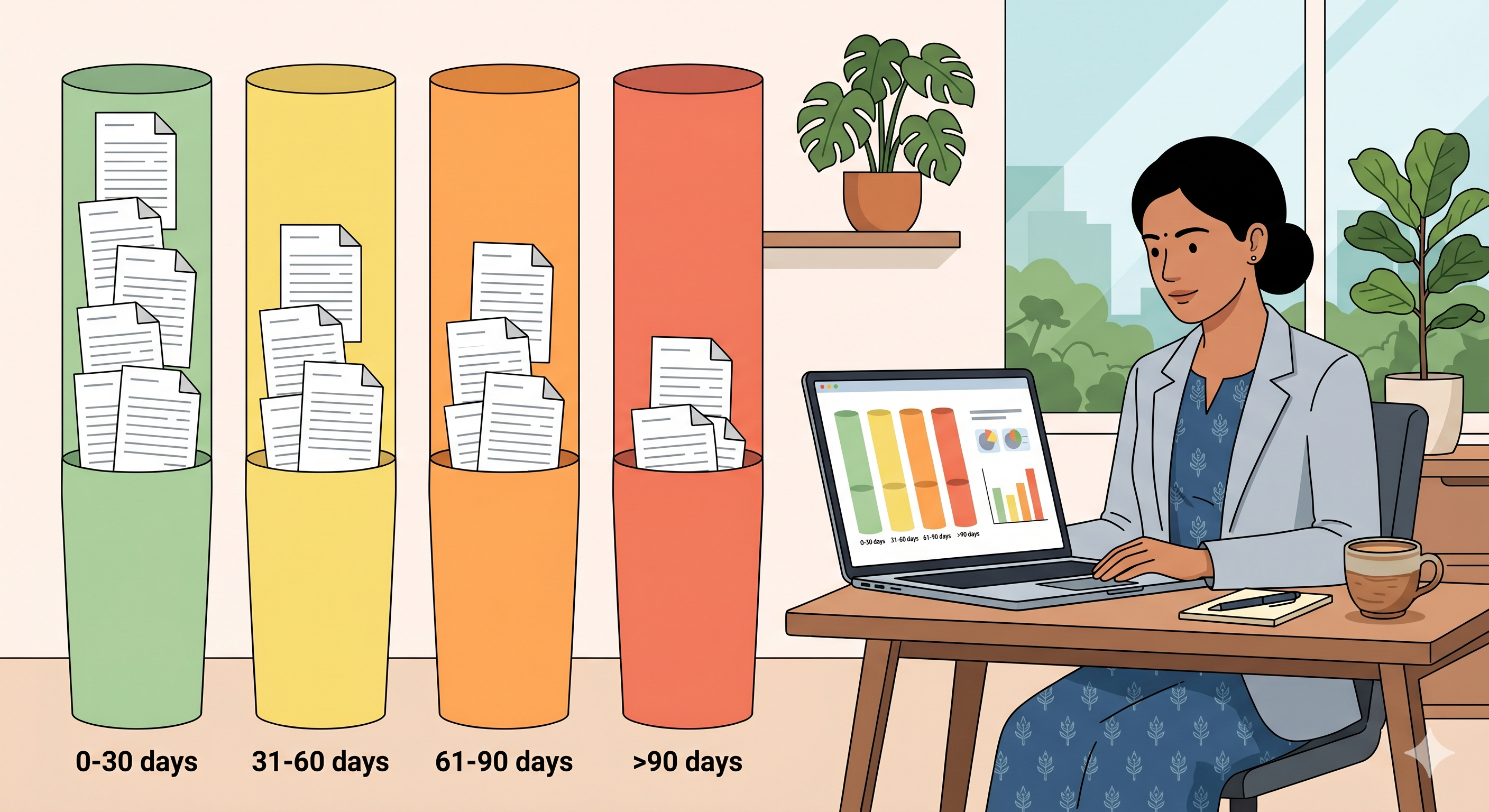
- The aging report (or "Bills Receivable" report in Tally Prime) groups every unpaid invoice into time buckets so a distributor can see where the risk is concentrated, not just the total receivable number.
- Roughly 70 to 80% of collection effort should go on invoices in the 31 to 60 day bucket. Anything beyond 90 days needs a different conversation, and anything in 0 to 30 mostly handles itself if your reminder cadence is set up correctly.
- The aging report is a static snapshot. By itself it does not collect money. It only becomes useful when paired with a reminder system that fires on the right invoice the next morning.
In This Article
- What an aging report actually is
- How to generate it in Tally Prime, step by step
- How to read the four buckets
- The 80-20 rule on receivables
- The five mistakes most distributors make with this report
- A weekly action plan
- A Surat textile distributor's aging report rhythm
- Frequently asked questions
What an aging report actually is
When you look at "Outstanding Receivables" in Tally, the headline number is the sum of every unpaid invoice across every party. That total is useful as a board number. It is almost useless as an operating tool.
The aging report breaks that total apart by how old each invoice is. A ₹47 lakh receivable book reads very differently when ₹38 lakh of it is under 30 days old versus when ₹22 lakh of it is over 90 days old. The first is a healthy business with normal credit terms. The second is a business with a recovery problem.
Tally calls this the "Bills Receivable" or "Outstandings by Ageing" report depending on your version. The mechanic is the same: the system groups every open bill by the age of the bill date, into the buckets you define.
How to generate it in Tally Prime, step by step
The path in Tally Prime 4.0 and above:
- From the Gateway of Tally, press D to go to Display More Reports
- Select Statements of Accounts
- Select Outstandings
- Select Receivables
- Press F6 (Age-Wise) to switch to the aging view
- Choose Age-Wise method: Bill Date or Due Date. Bill Date is what most distributors want, because it shows how long since the invoice was raised. Due Date shows how long since the invoice was due, which can hide stretched terms.
- Set the aging periods. Default is 30, 45, 60. For most Indian distributors, 30 / 60 / 90 / 120+ is a cleaner read.
The report opens with one row per party, with their balance distributed across the buckets you defined. Drill down on any party to see invoice-level detail.
For a distributor running 100+ retail parties, export the report to Excel (Alt+E in the report). The party list is too long to read on screen, and most of the analysis you want to do happens in Excel anyway.
How to read the four buckets
A working distributor's mental model for each bucket:
0 to 30 days: the healthy book. This is normal credit. If you sell on net 30, every party will sit here for some part of the month. Touch it lightly. A reminder on day 15 and a due-date notice on day 30 is the right intensity. Heavy chasing on this bucket annoys good customers.
31 to 60 days: the working bucket. This is where most active collection effort should go. Invoices here are past due but not yet a structural problem. The retailer usually pays after 1 or 2 specific reminders. Each invoice in this bucket should have a named action by Monday morning of every week.
61 to 90 days: the warning bucket. Past 60 days, the invoice is a problem. The party either has a cash issue, a dispute, or a habit of paying late. Distinguish between the three. A cash issue means a payment plan. A dispute means a credit note discussion. A habit means tightening terms or capping credit.
90+ days: the risk bucket. Anything in here is at risk of becoming bad debt. Owner-level conversation, not accountant-level. Some of these will get paid. Some will need to be written off (see our note on bad debt write-off in Tally). The job here is to triage, not to send another reminder.
The 80-20 rule on receivables
In a typical 120-party distributor book, 20 to 25 retailers account for roughly 80% of the open receivable value. The aging report makes this visible because it sorts by balance.
The implication: your collection effort should not be evenly distributed across parties. The top 20 should have a named action every Monday. The next 50 should run on the automated reminder cadence. The bottom 50, where outstandings are typically under ₹15,000 each, should run almost entirely on automation. Spending an hour on the phone to recover ₹4,800 from a small retailer when there is ₹2.4 lakh sitting in the 60-day bucket from a big party is a misallocation of effort.
The five mistakes most distributors make with this report
Mistake 1: Looking at it once a month. Aging is a Monday-morning report, not a month-end report. By month-end, the 31 to 60 bucket has already aged into 61 to 90.
Mistake 2: Not separating disputed invoices. A ₹38,000 invoice in the 90-day bucket that is sitting on a genuine dispute looks identical to a ₹38,000 invoice from a habitual late payer. Tag disputes separately so you do not chase them with the same firmness.
Mistake 3: Reading total receivable, ignoring shape. Two distributors with ₹40 lakh in receivables can have very different operating health depending on the shape of the bucket distribution. A 70/20/7/3 split (0-30 / 31-60 / 61-90 / 90+) is healthy. A 30/30/20/20 split is a recovery operation in trouble.
Mistake 4: Reminding off the report manually. Reading the report and then typing reminders one by one is where most accountants lose 3 hours of their day. The report should feed a reminder system, not a typing exercise.
Mistake 5: Not closing the loop after payment. A retailer pays ₹62,000 against three invoices on Monday morning. By Tuesday afternoon, those three invoices should be off the report. If reconciliation runs days behind, the report keeps showing them as open and you waste time chasing closed bills.
A weekly action plan tied to the report
A simple cadence that most distributor accountants can run on a Monday in 30 minutes:
- Pull the aging report. Sort by balance descending.
- Look only at the top 25 parties for the first 20 minutes. Anything in the 31 to 60 bucket gets a personal WhatsApp from the accountant, referencing the specific invoice number and amount.
- For the 61 to 90 bucket, escalate to the owner's voice. One message, with consequences (hold on dispatch, etc.).
- For the 90+ bucket, schedule a phone call, not a message. Owner to owner.
- The bottom 100 parties run on the automated cadence with no manual touch this week.
- End of week (Friday): pull the report again. Anything that has moved between buckets, anything new in 90+, gets flagged for next Monday.
A Surat textile distributor's aging report rhythm
A textile distributor in Surat, ₹18 crore turnover, 95 retail parties. Before they ran a structured aging cadence, the accountant pulled the report once at month-end, used it for the partner meeting, and then went back to chasing whoever called or whoever the salesman flagged.
After moving to a Monday-morning aging rhythm, with automated WhatsApp reminders running on the bottom 70 parties and personal accountant follow-up on the top 25:
| Metric | Before | After 90 days |
|---|---|---|
| Total receivables | ₹3.6 cr | ₹2.7 cr |
| Receivables over 60 days | ₹1.4 cr | ₹62 lakh |
| Receivables over 90 days | ₹78 lakh | ₹24 lakh |
| Accountant time on receivables per day | 3.5 hours | 1 hour |
Three quarters of the cash that came in over those 90 days was on invoices that had been visible on the aging report all along. The report had not changed. What changed was that someone read it on Monday and acted on it the same day.
What Takkada is, in one sentence
Takkada wires the live aging report from your Tally to your phone, fires structured WhatsApp reminders on the right invoice in the right bucket, and pulls those reminders back the moment the payment lands and reconciles in Tally, so the accountant's Monday morning becomes a 30-minute exercise instead of a 3-hour one.
Frequently Asked Questions
Q: Where is the aging report in Tally Prime?
A: Gateway of Tally → Display More Reports → Statements of Accounts → Outstandings → Receivables. Press F6 to switch to the age-wise view, and choose Bill Date as the aging method for the most useful read. The exact key depends on your Tally version, but the path is consistent across Tally Prime 3.0 and above.
Q: Should I use Bill Date or Due Date to age my invoices?
A: Bill Date for collection prioritisation, because it shows how long the money has been outstanding regardless of agreed terms. Due Date for compliance and customer-facing reports, because it shows actual breach of agreed terms. Most distributors use Bill Date internally and Due Date when they discuss specific invoices with the customer.
Q: What aging buckets should I use?
A: 0-30, 31-60, 61-90, and 90+ is the cleanest split for most distributors. If your average credit terms are 45 or 60 days, shift the buckets accordingly. The point of the buckets is to separate "normal" from "working" from "warning" from "risk", so the boundaries should reflect your business, not Tally's defaults.
Q: Can I get a real-time aging report on my phone?
A: Not from Tally directly, because Tally Prime is desktop software. Tools that sit on top of Tally and sync data continuously can show the aging report on a phone, with the buckets updated as new invoices and payments flow in. This is one of the most common reasons distributors install a Tally companion app in the first place.
Q: How often should I run the aging report?
A: Once a week is enough for action. Once a month is too late. Once a day adds noise without adding signal. Most distributors who run the report on Monday morning, take action through the week, and pull it again on Friday end-of-day, find that two cycles a week is the sweet spot.
Internal Links
- DSO for Distributors: How to Calculate and Reduce Days Sales Outstanding
- Outstanding Payment Reminder: How the Best Distributors Run It in 2026
- WhatsApp Payment Reminder for Distributors: A Cadence That Actually Collects
Takkada helps Indian distributors using Tally collect payments, send WhatsApp reminders, and generate e-invoices, all from mobile. Book a free demo.