
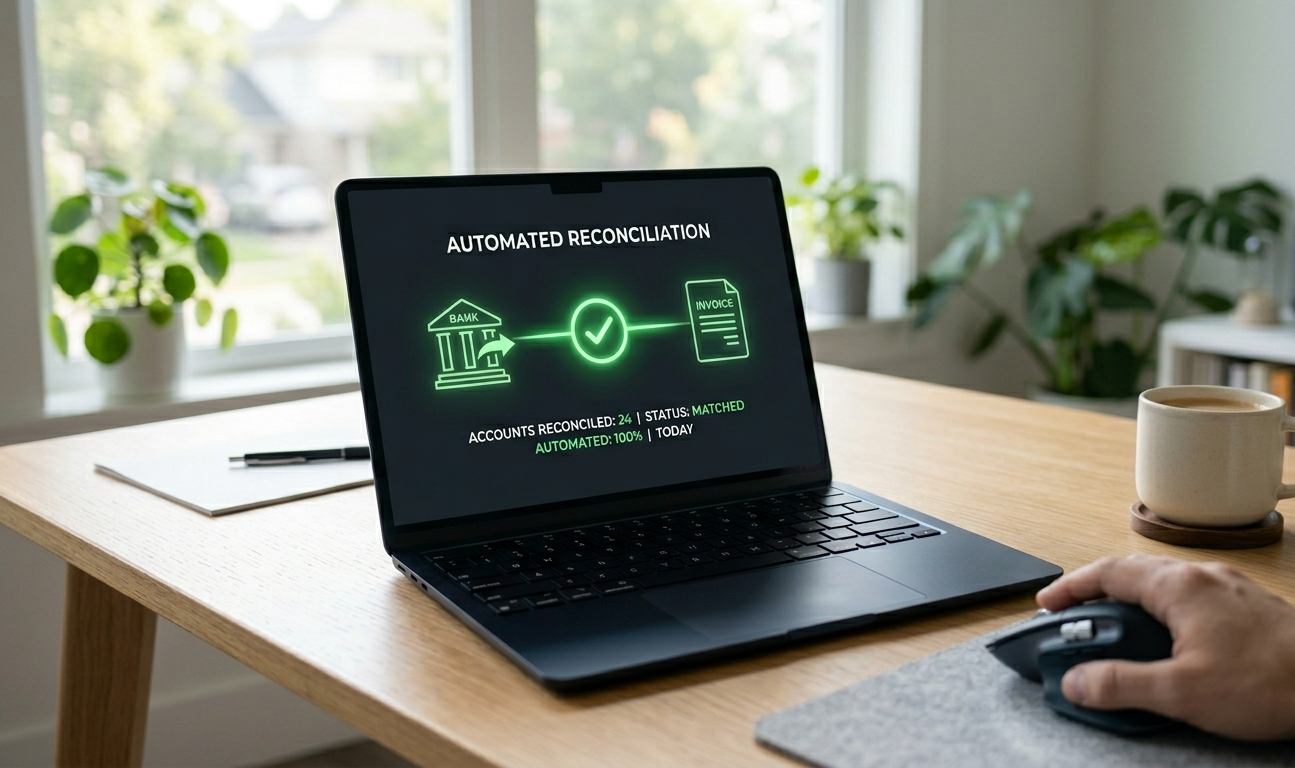
Auto reconciliation Tally is the process of automatically matching incoming bank receipts to the right outstanding sales invoices and posting the receipt vouchers into Tally with no human data entry. The traditional flow is slow: the retailer pays, the bank credits the account, and the accountant then downloads the statement, opens Tally, finds the matching invoice, posts a receipt voucher, and marks the invoice closed. For a distributor with 200 receipts a month, that is 75 to 90 minutes a day of focused typing, usually in the 9 PM session everyone dreads. Auto reconciliation collapses it into a service that listens to the bank, identifies the invoice, and posts the voucher within minutes of the money landing. The cleanest match uses a reference embedded in the UPI payment link, so the incoming UTR carries the invoice number and matches it directly. The harder cases, split payments, advances, and TDS, are handled by amount and party matching with a confidence score the accountant reviews.
Key Highlights
- Auto reconciliation Tally is the matching of incoming bank UTRs to specific Tally sales vouchers, followed by automatic posting of receipt vouchers — eliminating manual data entry
- The clean case (one payment, one invoice, exact amount) is easy; the real engineering is in handling split payments, advances, TDS, and short payments correctly
- A well-built auto-reconciliation layer handles 92 to 96% of receipts without human touch; the remaining 4 to 8% is the exception queue your accountant reviews in 10 to 15 minutes a day
In This Article
- What auto reconciliation Tally actually means
- Payment Reconciliation Software for Tally
- The three matching modes
- How split payments are handled
- Advances, TDS, discount, short payment edge cases
- A capability checklist
What auto reconciliation Tally actually means
Auto reconciliation Tally refers to the process of automatically matching incoming bank receipts to outstanding sales invoices in Tally, and then posting receipt vouchers in Tally without human data entry.
The traditional flow looks like this. The retailer pays. The bank credits the distributor's account. The accountant downloads the bank statement, opens Tally, finds the matching invoice, posts a receipt voucher, marks the invoice closed. For a distributor with 200 receipts a month, this is 75 to 90 minutes a day of focused data entry.
Auto reconciliation collapses that into a service that listens to the bank, identifies the invoice, and posts the voucher — usually within minutes of the payment landing.
Payment Reconciliation Software for Tally
Payment reconciliation software automatically matches money received from customers with the invoices those payments settle.
For Tally users, this normally means comparing bank credits with outstanding invoices and then creating the appropriate receipt entries.
Takkada automates this process.
It considers information such as the payment amount, customer, recent invoices and payment patterns to identify the most likely invoice. High-confidence matches can be posted automatically, while uncertain matches can be reviewed before posting.
What happens when one payment covers multiple invoices?
Takkada can handle payments that settle multiple invoices. Instead of leaving the entire amount as an unmatched receipt, the system can identify the invoices and allocate the payment across them cleanly.
What happens with partial payments?
If a customer pays only part of an invoice, Takkada can record the partial settlement rather than treating the entire invoice as paid or ignoring the credit.
What happens when a payment cannot be matched?
Unmatched payments can be placed into a configurable suspense account until the correct allocation is confirmed by your accountant.
Why use payment reconciliation software?
Manual reconciliation requires an accountant to repeatedly compare:
Bank statement → customer → invoice → amount → receipt entry
Automating this process reduces repetitive accounting work and keeps Tally updated as payments are confirmed. Explore our related guides on payment collection in Tally and viewing Tally on mobile.
The three matching modes
Mode 1: Reference-based matching. When the customer paid through a UPI payment link with an embedded reference (e.g. TEX-INV-2614), the incoming UTR carries that reference. The auto-reconciliation service reads the reference and matches it directly to invoice INV-2614. Match confidence: 99%.
Mode 2: Amount-and-party matching. When the customer paid via direct NEFT or RTGS without a reference, the service matches by buyer's bank account, amount, and proximity to the invoice date. If the customer has only one open invoice for ₹42,000 and ₹42,000 just landed from their bank, the match is unambiguous. Match confidence: 85 to 95%.
Mode 3: Intelligent split matching. When the customer paid one lump sum against multiple open invoices, the service tries combinations. ₹1,00,000 against three open invoices of ₹35,000, ₹42,000 and ₹23,000 = exact match if you allocate to all three. Match confidence: 75 to 90% depending on the ambiguity.
A well-built service runs all three modes in priority order: reference first, amount-and-party second, intelligent split third. Anything that does not resolve drops into the exception queue.
How split payments are handled
This is where most "auto reconciliation" claims fall apart.
The clean split. ₹1,00,000 from Sharma Traders. Their three open invoices total exactly ₹1,00,000. The service allocates ₹35,000 to INV-2611, ₹42,000 to INV-2614, ₹23,000 to INV-2618. Three receipt vouchers post in Tally, three invoices close.
The partial split. ₹85,000 from Sharma Traders. Their three open invoices total ₹1,00,000. The service has to decide which invoices to close fully and which to mark partially paid. Default rule: oldest first. So ₹35,000 closes INV-2611 fully, ₹42,000 closes INV-2614 fully, ₹8,000 sits as a partial payment on INV-2618.
The ambiguous split. ₹50,000 from Sharma Traders. Their three open invoices are ₹35,000, ₹42,000 and ₹23,000. Multiple valid allocations: (₹35,000 + remainder), (₹42,000 + ₹8,000 partial on another), etc. A good service flags this for accountant review rather than guessing.
In our customer conversations, distributors using a well-implemented auto-reconciliation Tally service see 92 to 96% of receipts handled cleanly and the remaining 4 to 8% in the exception queue.
Advances, TDS, discount, short payment edge cases
| Edge case | What it looks like | What good auto-reco does |
|---|---|---|
| Advance | ₹2,50,000 paid before any invoice exists | Posts as advance receipt to party ledger; auto-applies to next invoices |
| TDS | ₹99,000 paid on a ₹1,00,000 invoice (1% TDS withheld) | Posts ₹99,000 receipt + ₹1,000 to TDS receivable; closes invoice |
| Cash discount | ₹49,000 paid on ₹50,000 invoice within discount window | Posts ₹49,000 receipt + ₹1,000 discount adjustment; closes invoice |
| Short payment (genuine) | ₹49,000 paid, customer admits short | Posts ₹49,000; leaves invoice open with ₹1,000 balance for accountant decision |
| Bounce | ₹50,000 receipt later reversed by bank | Reverses the receipt voucher, reopens the invoice, flags for follow-up |
| Wrong party UTR | Payment from a non-customer (random transfer) | Holds in unmatched bucket; never posts incorrectly |
Three of these — TDS, discount, and short payment — are where most auto-reconciliation tools fail silently. They post the partial amount against the invoice but mark it closed, which corrupts your outstanding report.
A capability checklist for auto reconciliation Tally
Score any tool against these eight items.
Reads bank statements via API (not CSV upload), at least daily, ideally real-time webhook
Reference-based matching for UPI payment links with embedded invoice IDs
Amount-and-party matching for direct bank transfers without reference
Intelligent split matching for lump payments against multiple invoices
Posts receipt vouchers in Tally via the XML API automatically
Handles TDS deduction as a separate receivable, not as short payment
Handles advance receipts on party ledger and auto-applies forward
Maintains an exception queue with reasons for each unmatched item
A tool scoring below 6 of 8 will require manual reconciliation for too many cases to actually free your accountant's evening.
Why the boring details decide it
A Coimbatore auto-parts distributor we know spent three months on a tool that scored 5 of 8 on this checklist. It handled the clean cases beautifully. Every TDS payment from a corporate buyer ended up incorrectly marked as short payment, which broke the outstanding report. Every advance from a regular dealer sat in an unmatched bucket. After two months, the accountant was spending more time fixing the tool's mistakes than the original manual reconciliation took.
They switched to a tool scoring 7 of 8, including TDS and advance handling. Two weeks later, the 9 PM reconciliation session was over and the exception queue averaged 6 to 8 items per day, cleared in 10 minutes the next morning.
The capability checklist is not a feature wish-list. It is the difference between an auto-reconciliation that actually works and one that creates more work than it removes.
What Takkada is, in one sentence
Takkada provides auto reconciliation Tally for Indian distributors — UTR-to-invoice matching including split payments, TDS, advances, and short payments, with receipt vouchers posting back into Tally automatically and an exception queue for the cases that genuinely need human review.
Frequently Asked Questions
Q: What is payment reconciliation?
A: Payment reconciliation is the process of matching received payments to the invoices they settle and recording the corresponding receipt entry in your accounting system.
Q: Can payment reconciliation software work with Tally?
A: Yes. Takkada is specifically designed to synchronize payment reconciliation with Tally Prime and Tally ERP 9.
Q: Can it handle partial payments?
A: Yes. Takkada records partial invoice settlements accurately rather than marking incomplete bills as fully paid.
Q: Can it handle one payment for multiple invoices?
A: Yes. Takkada can identify lump-sum payments covering multiple bills and split the settlement across them automatically.
Q: Does Takkada replace Tally?
A: No. Tally remains your core accounting system of record. Takkada acts as an intelligent collection and reconciliation layer around it.
Q: Does auto reconciliation work with all Indian banks?
A: It depends on the bank's API support. ICICI, HDFC, Axis, Kotak, IDFC First, Yes Bank, IndusInd, and SBI all have account-aggregator-compliant APIs that reconciliation tools use. Smaller and cooperative banks may require statement uploads.
Q: What happens to receipts that the auto-reco service cannot match?
A: They sit in an exception queue with a reason (e.g. "amount does not match any open invoice", "party not in masters", "duplicate UTR"). The accountant reviews these — typically 4 to 8% of daily receipts — and either matches manually or marks for further investigation.
Q: Will the auto-reco tool make changes to my Tally data file directly?
A: The tool writes new vouchers (receipts, journal entries for TDS or discount adjustments) via the Tally XML API. It does not edit existing vouchers. Your historical data is read-only to the tool.
Q: Can I run auto reconciliation Tally on a cloud-hosted Tally setup?
A: Yes. The Tally XML API works the same whether Tally runs on a local PC or a cloud Windows VM. The reconciliation service connects to whichever Tally instance has the data.
Q: Is there a risk of duplicate receipt vouchers if the bank sends a webhook twice?
A: Good auto-reco services use idempotency keys (the UTR is unique) to prevent duplicates. Confirm this with your vendor; ask what happens if the same UTR is processed twice.
Internal Links
- Payment Link Tally Integration: Collect and Auto-Reconcile
- Payment Collection App for Distributors India
- Outstanding Payment Reminder App India
Takkada provides full auto reconciliation Tally for Indian distributors — UTR matching, split payments, advances, TDS, and receipt vouchers posting back automatically, with an exception queue your accountant clears in 10 minutes. Book a free demo.