Key Highlights
- E-invoicing is mandatory for Indian businesses above ₹5 crore annual turnover since 1 August 2023; the IRN must be generated before goods move
- Generating an e-invoice on phone with Tally sync cuts the typical field-to-IRN gap from 60–120 minutes to under 30 seconds
- The flow that matters is phone → NIC IRP → IRN + QR → Tally voucher update, with no manual re-entry anywhere
In This Article
- Who must generate e-invoices in 2026
- The desktop flow in Tally, as a baseline
- How to generate an e-invoice on phone and sync it back to Tally
- Pitfalls (duplicate IRN, wrong HSN, cancellation window)
- A before-and-after comparison from a Rajkot distributor
Who must generate e-invoices in 2026
The Indian government has lowered the e-invoicing threshold in waves: ₹500 crore in 2020, then ₹100 crore, ₹50 crore, ₹20 crore, ₹10 crore, and ₹5 crore as of 1 August 2023. Any B2B invoice from a business above this turnover needs an IRN (Invoice Reference Number) generated through the Invoice Registration Portal before the goods move or the service is delivered.
If you are an Indian distributor with ₹5 crore-plus annual turnover, an e-invoice is not optional for B2B invoices. Missing the IRN means the invoice is legally invalid, input tax credit breaks for your buyer, and any e-way bill you try to generate will fail. Generating an e-invoice on phone Tally-connected is the shape that fits a distributor whose work starts outside the office.
The desktop flow in Tally, as a baseline
On a desktop, the standard Tally Prime flow looks like this:
Create the sales voucher as usual, with the buyer's GSTIN
Press Alt+Z or navigate to Exchange → Send for e-Invoicing
Tally connects to the NIC IRP using your stored API credentials
IRN and signed QR come back in 10 to 20 seconds
The voucher auto-updates with IRN, acknowledgement number and QR image
Print, share, or attach to the e-way bill
This flow has been stable since 2021. It assumes you are sitting at the desktop.
How to generate an e-invoice on phone and sync back to Tally
When the sale happens at the customer's shop in Rajkot at 3 PM and you need the IRN before the goods leave your godown, the desktop flow does not work. Here is how the mobile flow looks when a companion app is wired to Tally and the IRP correctly.
Step 1: Create the sale on your phone
Pick the party, pick the items, enter quantities and rates. The app pulls your Tally masters so the party GSTIN, HSN codes and tax rates auto-fill. Enter one invoice in 60 to 90 seconds. A ₹1,12,340 invoice with three line items takes about the same time as a WhatsApp reply.
Step 2: Confirm GST heads and buyer GSTIN
This is where mistakes kill the IRN. Check that the buyer GSTIN is live (the app should validate in real time against the GSTN), check the place of supply is right (intra vs inter-state changes IGST vs CGST+SGST), and check HSN has six digits where turnover is above ₹5 crore.
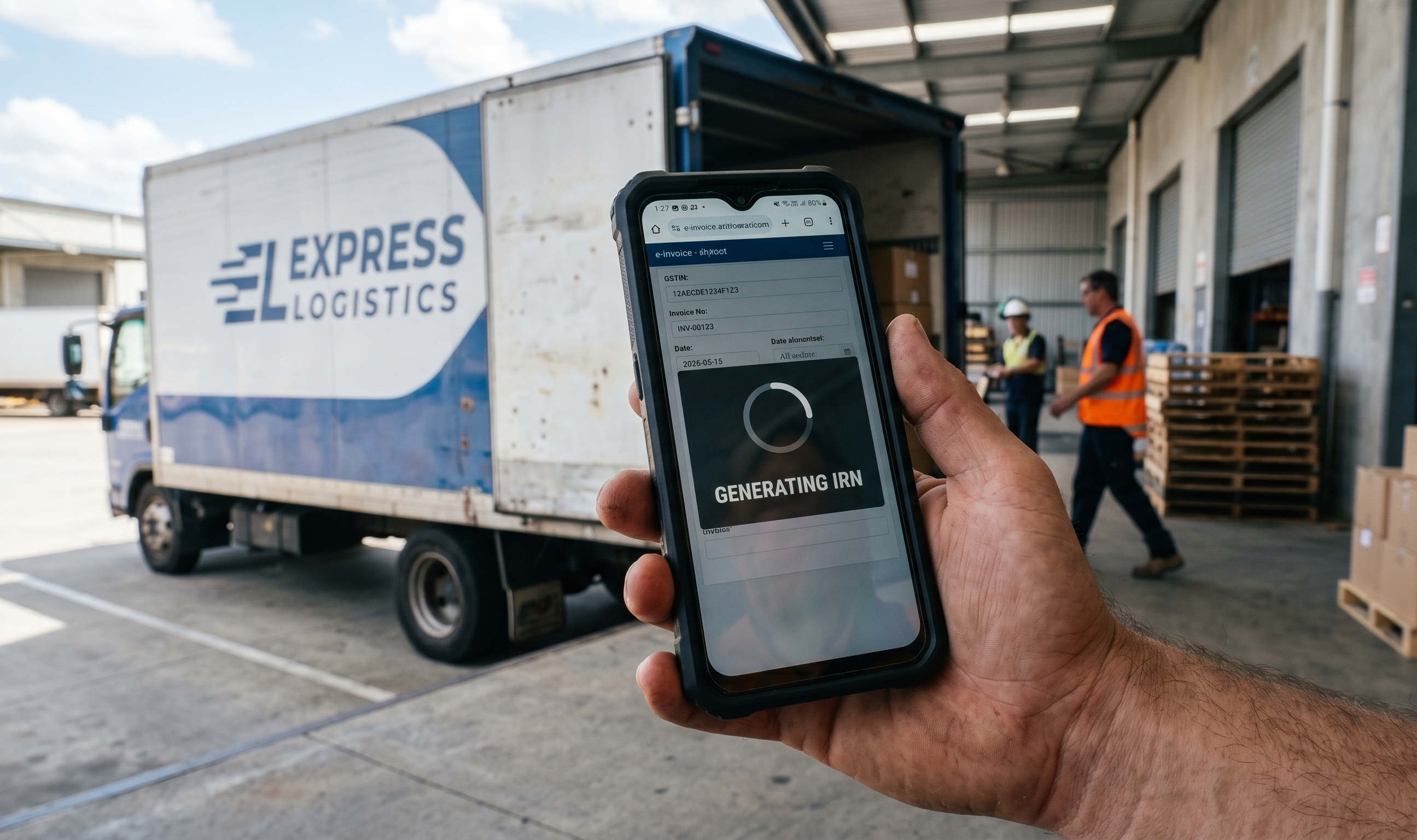
Step 3: Tap Send for e-Invoicing
The app sends the JSON payload to the NIC IRP. Under normal network load the IRN and signed QR come back in 5 to 10 seconds. A Hyderabad FMCG distributor shared that on a typical day they see 3 to 5 second round-trips, and on the first of the month (a known IRP load peak) it stretches to 20 seconds.
Step 4: The IRN posts back to Tally automatically
Here is where mobile-only tools stop short and Tally-integrated ones go further. The IRN, acknowledgement number and QR image get written back to the voucher sitting in your Tally data file. Your accountant does not re-key anything at 9 PM.
Step 5: Share the e-invoice
The invoice, now with IRN and QR, can be sent over WhatsApp to the buyer directly from the same screen. Buyers increasingly check the QR for their input tax credit, especially after the ITC-matching tightening in the last two GSTR updates.
Desktop vs phone e-invoice flow
| Step | Desktop (Tally Prime) | Phone (companion app + Tally) |
|---|---|---|
| Where the invoice starts | Accountant's PC at office | Salesman or owner's phone at customer's shop |
| Time from sale to IRN | 60 to 120 minutes (wait for office call, PC entry) | 30 to 90 seconds |
| Tally sync | Native, instant | Via app sync, within minutes |
| E-way bill chaining | Available from same voucher | Available from same voucher |
| Offline tolerance | None; needs PC online | Queues if no signal, posts when reconnected |
Pitfalls when generating an e-invoice on phone
Duplicate IRN errors. If your app retries a submission after a timeout, you can end up with two IRN requests for the same invoice. A good app handles this with an idempotency key; a weak one leaves you with a "Duplicate IRN" error and a blocked invoice. Ask the vendor how they handle IRP timeouts.
Wrong HSN or rate. The IRP validates HSN against the rate you send. If your Tally master has an old rate for an item, the mobile app inherits it. Clean your item masters before switching to mobile-first e-invoicing.
Cancellation window. An e-invoice can be cancelled within 24 hours of generation through the IRP. After that, only a credit note is valid. The mobile flow should support the 24-hour cancellation from the phone itself; otherwise you are driving back to the desktop anyway.
Place of supply on interstate. A Punjab distributor sending goods to a Haryana buyer but delivering to a Delhi branch of the buyer must get the place of supply right. The IRN will issue either way, but GST on the wrong state creates ITC problems later. The app should warn before submission, not after.
A before-and-after scenario
A Rajkot electricals distributor, ₹18 crore turnover, 4 field operators, issued roughly 40 B2B invoices a day. Before moving to mobile e-invoicing, a typical field sale followed this rhythm: salesman calls accountant, reads out details, accountant types in Tally, generates IRN, sends back on WhatsApp. Average 75 minutes per invoice. On a busy day they stretched into the next morning, which meant goods sat in the godown overnight.
After switching to phone-based e-invoice generation with Tally sync, the same flow ran in 40 to 60 seconds. The accountant stopped being a switchboard. The godown started shipping by 5 PM instead of 11 AM the next day. Month-on-month, they reported a drop in "invoice pending" calls from customers by roughly two-thirds.
No magic, no AI in the middle. Just the IRP round-trip moved from a desktop the salesman did not have to a phone he already carried.
What Takkada is, in one sentence
Takkada lets Indian distributors above the ₹5 crore e-invoicing threshold generate an IRN on phone, with Tally auto-updating the voucher in under 30 seconds — no accountant switchboard in the middle.
Frequently Asked Questions
Q: Can I generate an e-invoice on phone without Tally at all?
A: Yes. The NIC IRP exposes APIs that any mobile app can call. But if your books sit in Tally, generating an IRN outside Tally means your accountant has to manually post the voucher later. The value of a phone-plus-Tally app is the round-trip; IRN goes out, voucher comes back into Tally, no re-entry.
Q: Does phone-based e-invoicing work for B2C sales?
A: E-invoicing is only for B2B invoices. B2C invoices above ₹500 need a dynamic QR, which is different from the IRN flow. Most mobile apps handle both, but the legal requirement is separate.
Q: What happens if the NIC IRP is down when I try to generate an IRN on phone?
A: The IRP has had outages, most recently a brief one during GST filing week. A good mobile app queues the submission, retries automatically and tells you the IRN is pending, not failed. Check with your vendor how they handle IRP downtime.
Q: Can I cancel an e-invoice from my phone?
A: Yes if the app supports it. The IRP allows cancellation within 24 hours of IRN generation. Outside that window, you raise a credit note — also possible from the phone in a well-built app.
Q: Is the QR code on a mobile-generated e-invoice the same as one from desktop Tally?
A: Yes. The QR is signed by the NIC IRP, not by the software that requested it. A mobile-generated QR and a desktop-generated QR are identical in validity and information.
Internal Links
- E-Way Bill on Phone: How Distributors Clear ₹50,000+ Shipments
- Tally Prime Mobile App: What Exists, What Does Not
- GST Compliance on Mobile for Distributors
Takkada helps Indian distributors using Tally collect payments, send WhatsApp reminders, and generate e-invoices, all from mobile. Book a free demo.