Key Highlights
- E-way bill is mandatory for interstate movement of goods over ₹50,000, and for most intra-state movements above the same threshold
- Generating an e-way bill on phone takes 40 to 90 seconds when the mobile app is wired to Tally and the EWB portal correctly
- The three fields that cause most rejections are vehicle number format, transporter ID, and distance; all three can be checked before submission
In This Article
- When an e-way bill is mandatory in 2026
- The desktop flow through Tally, as a baseline
- How to generate an e-way bill on phone step by step
- Common rejections and how mobile apps catch them
- A Ludhiana textiles scenario
When an e-way bill is mandatory in 2026
Under the current GST rules, an e-way bill is required any time goods worth more than ₹50,000 move between two locations on a conveyance. The threshold is ₹50,000 per consignment for most goods, lowered in specific states and for specific sensitive items. All interstate movement above ₹50,000 is covered; intra-state rules vary slightly by state but most follow the same threshold.
The e-way bill has two parts: Part A (invoice details, parties, value, HSN) and Part B (vehicle number, transporter, distance). Part A can be filed without Part B, but the transport cannot begin until Part B is updated.
For a distributor, this usually means: generate e-invoice, generate e-way bill Part A, hand over to transporter, add Part B (vehicle number), goods move. When the salesman is at the godown and the accountant is at the office, each hop is a phone call. A Ludhiana textiles wholesaler we know described a 4 PM shipment routinely leaving at 6:30 PM because of this round-trip. Generating the e-way bill on phone is the fix.
The desktop flow through Tally, as a baseline
On a desktop, Tally Prime lets you generate the e-way bill as part of the e-invoice flow or separately:
Open the sales voucher
Press Alt+Z and choose Send for e-Way Bill (or combined e-invoice + e-way bill)
Enter vehicle number, transporter ID, distance and mode
Tally connects to the EWB portal and returns the EWB number
Print or share the EWB
Stable, well-documented, and depends on you being at the Tally machine.
How to generate an e-way bill on phone step by step
Here is the flow when a Tally-connected mobile app handles the EWB call end to end.
Step 1: Start from the sales voucher
In the mobile app, open the sales voucher (either just created or pulled from Tally). The invoice number, party, value, HSN and GST heads are already there. Part A auto-fills from these fields.
Step 2: Pick the mode and transporter
Mode is Road, Rail, Air or Ship. Road is the default for 95% of distributor shipments. Transporter ID is a 15-character GSTIN-linked number. If you have five or six regular transporters, the app should let you save them so you tap once.
Step 3: Enter vehicle number
The EWB portal accepts two formats: the standard Indian plate (e.g. KA01AB1234) and the older format (e.g. KA-01-AB-1234). The portal is strict about hyphens and spaces. A good mobile app normalises this before submission.
Step 4: Enter distance in kilometres
Distance drives validity. Up to 200 km gives you one day of validity. Each additional 200 km adds a day. The app should pre-fill distance from pin-code-to-pin-code lookup and let you override if needed.
Step 5: Submit
The app sends the payload to the EWB portal. Under normal load the e-way bill number and PDF come back in 3 to 8 seconds. The number and QR post back to the Tally voucher automatically, same as the IRN does for e-invoice.
Step 6: Share with transporter and buyer
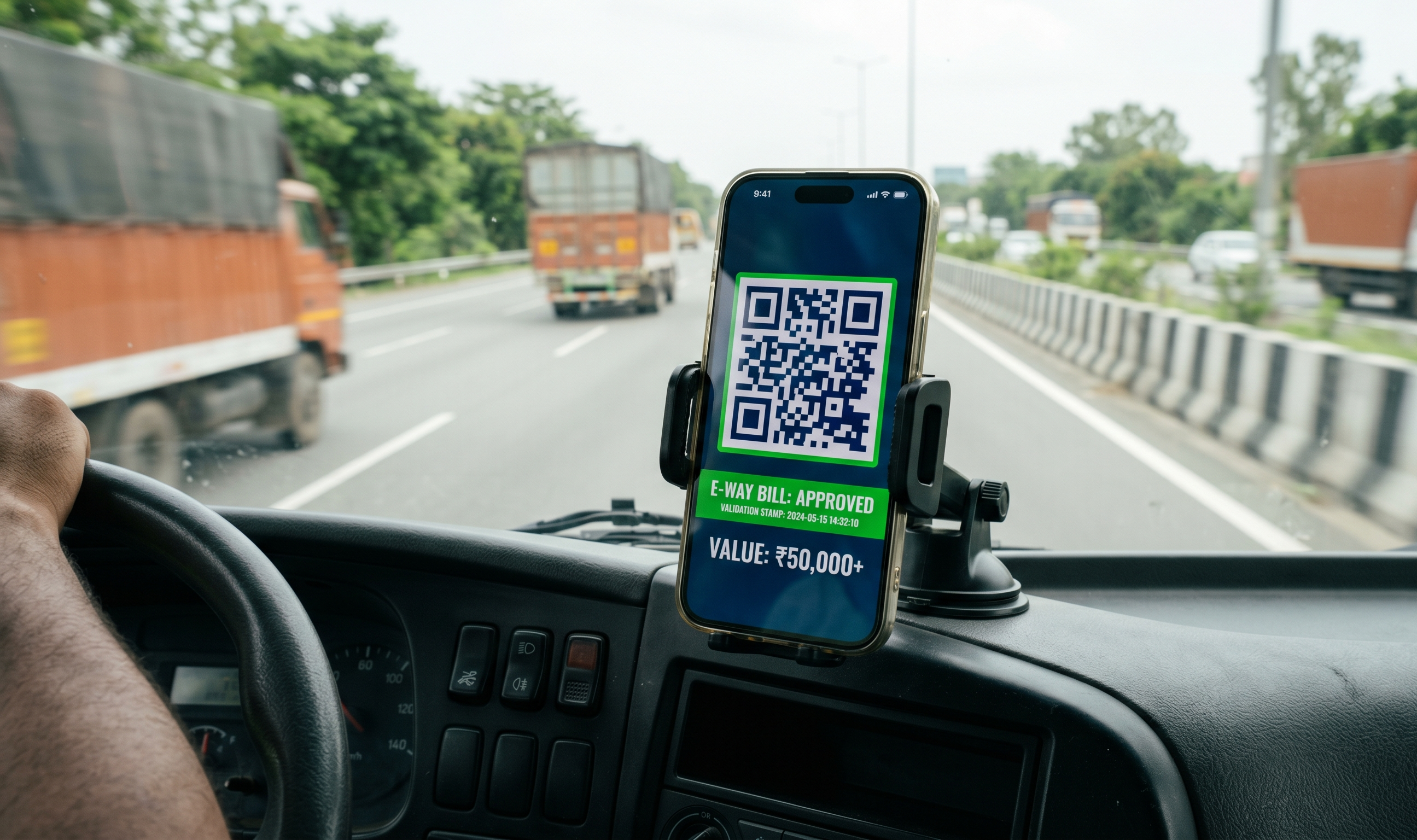
The EWB PDF can be sent to the transporter via WhatsApp or printed on the godown printer. Drivers are usually shown the QR on the phone at RTO check-posts.
Desktop vs phone e-way bill flow
| Step | Desktop (Tally Prime) | Phone (companion app + Tally) |
|---|---|---|
| Where started | Accountant's PC | Owner or operator at godown |
| Typical time | 3 to 8 minutes | 40 to 90 seconds |
| Vehicle number format check | Manual | App-normalised |
| Distance lookup | Manual | Pin-to-pin auto |
| Tally sync | Native | Via app sync |
| Part B update when vehicle changes mid-route | Back to desktop | From phone itself |
Common rejections and how mobile apps catch them
Vehicle number format. Portal expects KA01AB1234 or KA-01-AB-1234. Any other punctuation fails. A mobile app that parses the input before submission catches this before you tap send.
Transporter ID wrong. 15-character, GSTIN-linked. If you are using your own vehicles, your own GSTIN works. If a third-party transporter, their ID. Mixing these is the most common rejection for first-time users.
Distance zero. The portal rejects distance of 0. If Pin A and Pin B are the same (typical for hyperlocal delivery in a single town), set distance to 1 km; this is allowed and is the standard workaround.
Value mismatch. Part A value must match the invoice total including GST. Rounding or discount mistakes in Tally will cause a mismatch. Most apps pull value directly from the voucher so this is rare.
Expiry during transit. An EWB valid for one day expires if the truck is delayed by a breakdown. The app should let you extend from the phone (Part B update with a new vehicle or time), so the driver is not stranded at a toll plaza.
A Ludhiana textiles scenario
A Ludhiana yarn wholesaler, ₹28 crore turnover, ships 15 to 25 consignments a day, mostly intra-Punjab with some Haryana and Delhi runs. Before mobile EWB, the flow was: salesman confirms dispatch, accountant runs invoice, accountant generates EWB on Tally, accountant WhatsApps the EWB PDF to the godown, godown manager shows the truck driver. Average lag 45 to 90 minutes. Three or four times a week, a truck left without Part B because "accountant was on lunch."
After switching to mobile-first EWB, the godown manager generates the EWB himself from the phone the moment the truck is loaded. Part B goes in with the real vehicle number, not a placeholder. Zero "pending Part B" cases in the last full quarter. The accountant got 6 to 8 hours a week back.
None of this required a new Tally setup. The same Tally data file, same EWB portal credentials, same vehicle list. Just moved from one screen (the accountant's) to another (the godown manager's).
What Takkada is, in one sentence
Takkada lets Indian distributors generate an e-way bill on phone in under 90 seconds — the EWB number and QR post back to the Tally voucher automatically, and the PDF goes to the transporter on WhatsApp from the same screen.
Frequently Asked Questions
Q: Can a single app generate both the e-invoice and e-way bill in one submission?
A: Yes. The NIC IRP supports combined submissions where both IRN and EWB are returned in a single response. Most serious mobile apps in the Indian market have implemented this, which saves one round-trip. Ask your vendor if they use the combined API.
Q: What if the vehicle changes mid-route?
A: Part B of the e-way bill allows vehicle updates. A good mobile app lets the godown manager or owner update the new vehicle from the phone directly. Without that, you are back to the desktop or risking an invalid EWB at a check-post.
Q: Do I need a separate EWB user ID and password, or does my Tally login work?
A: EWB portal credentials are separate from your GSTN login. Most Tally-integrated apps store the EWB credentials once and reuse them for every submission. Set it up once with your accountant or Tally partner.
Q: Is e-way bill mandatory for intra-state movement of goods?
A: Yes, in most states above the ₹50,000 threshold, though a handful of states have higher intra-state limits for specific items. Check your state's EWB notification.
Q: What is the penalty for moving goods without an e-way bill?
A: Under GST rules, moving consignments above ₹50,000 without a valid e-way bill can attract a penalty equal to the tax payable on the goods, plus detention of the consignment. Enforcement varies by state but the cost of a failed check-post stop is disproportionately high compared to generating the EWB.
Internal Links
- E-Invoice on Phone Tally: How Distributors Generate an IRN
- Tally Prime Mobile App: What Exists, What Does Not
- GST Compliance on Mobile for Distributors
Takkada helps Indian distributors using Tally collect payments, send WhatsApp reminders, and generate e-invoices and e-way bills, all from mobile. Book a free demo.