Key Highlights
- A UPI payment link on every invoice lifts collection speed by 3 to 5 times compared with printed bank details on a PDF
- The real gain from payment link Tally integration is on the back end: UTR-to-invoice matching, auto-posting of receipt vouchers, split-payment handling
- Done right, payment link Tally integration removes the 9 PM reconciliation session entirely
In This Article
- What a payment link is, and why it matters for Tally users
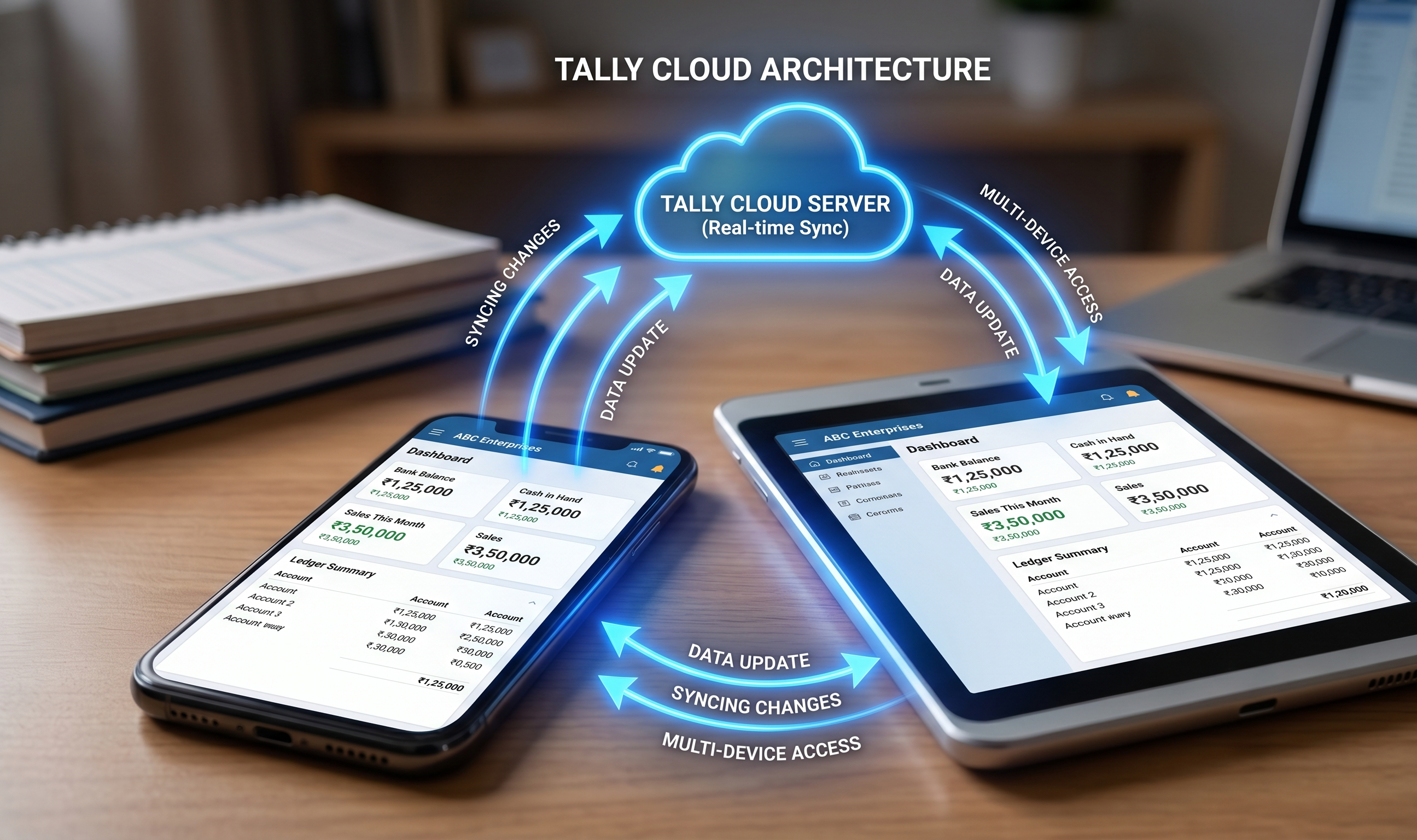
- How payment link Tally integration actually works
- Handling split payments and advances
- TDS, discount and short-payment edge cases
- A Surat textile distributor's before-and-after
What a payment link is, and why it matters for Tally users
A UPI payment link is a URL that, when tapped on a phone, opens directly in PhonePe, Google Pay, Paytm or any UPI app, with the amount and merchant details pre-filled. The customer reviews, taps pay, authorises with their PIN, and the money arrives in your bank account in seconds.
For a Tally-using distributor, what makes this matter is not the UPI side of things; UPI has been around since 2016. It is the Tally integration side: when that payment arrives, does it get matched to the right invoice and posted as a receipt voucher in Tally automatically, or does your accountant still type it in at 9 PM?
Payment link Tally integration is the pipe that connects "customer tapped pay" to "receipt voucher in Tally" without human intervention.
How payment link Tally integration actually works
Five stages, all automated once set up.
Stage 1: Link generation. When an invoice is created in Tally (or on the mobile app that writes into Tally), a unique payment link is generated for that specific invoice. The link carries a reference (usually the invoice number or a short internal code) so the incoming payment can be traced back.
Stage 2: Dispatch. The link is shared with the customer, almost always via WhatsApp along with the invoice PDF. Some distributors also send SMS for customers who prefer it.
Stage 3: Payment. Customer taps the link, pays through their UPI app. The money hits your bank account. A UTR (Unique Transaction Reference) gets generated by the bank and tagged to the reference from the link.
Stage 4: Matching. The integration service listens for UTRs on your bank account, reads the reference, matches it to the invoice. For UPI links this is near-automatic because the reference is baked in. For direct NEFT or RTGS transfers without a link, matching uses amount plus buyer GSTIN plus invoice date heuristics.
Stage 5: Posting. A receipt voucher is created in Tally, marked against the original sales voucher, dated to the actual UTR settlement date. The outstanding report updates automatically.
A step-by-step walkthrough
A Surat textile distributor issuing a ₹1,12,340 invoice to a Mumbai retailer:
Sales voucher saved in Tally (or on the phone, sync'd to Tally).
App auto-generates a UPI link with amount ₹1,12,340 and reference TEX-INV-2614.
WhatsApp message goes to the retailer: invoice PDF + "Pay here: [link]".
Retailer taps link at 2 PM, pays through PhonePe. UTR generated.
App's reconciliation service sees the UTR at 2:03 PM, matches to TEX-INV-2614.
Receipt voucher created in Tally at 2:04 PM, ₹1,12,340 against INV-2614.
Outstanding for the retailer drops by ₹1,12,340 immediately.
No human step between 4 and 7. This is the point of payment link Tally integration.
Bank transfer vs payment link: the operational difference
| Step | NEFT with bank details on invoice | Payment link + Tally integration |
|---|---|---|
| Customer effort | Open banking app, add payee, enter details | Tap link, authorise |
| Time to pay | 3 to 5 minutes | 10 to 20 seconds |
| Completion rate | 30 to 50% within due date | 70 to 90% |
| Reference on UTR | Often missing or wrong | Always present |
| Tally receipt posting | Manual at 9 PM | Automatic within minutes |
| Reconciliation error rate | 10 to 15% | Under 1% with good matching logic |
Handling split payments and advances
The real test of payment link Tally integration is not the clean case of one payment against one invoice. It is the messy ones.
Split payment. A Delhi retailer sends ₹1,00,000 against three pending invoices of ₹35,000, ₹42,000 and ₹23,000. The integration must split the ₹1,00,000 across all three, post three receipt allocations in Tally, and close all three invoices. Apps that fail here either dump the full ₹1,00,000 on the oldest invoice or leave it in an unmatched bucket for human review.
Advance. A Mumbai corporate buyer pays ₹2,50,000 upfront against a quarter of expected purchases. The integration creates an advance receipt, parks it on the buyer's ledger, and auto-applies against each coming invoice as it gets raised. Without this logic, your outstanding report wrongly shows the buyer in debit for weeks.
Partial payment. Against a ₹50,000 invoice, the buyer pays ₹45,000 and signals the ₹5,000 is a price adjustment. The integration posts ₹45,000 as a receipt, flags the ₹5,000 for a credit note, and waits for your accountant to confirm or dispute. Not automatic, but visibly queued.
TDS, discount and short-payment edge cases
Three operational details that trip up most integrations.
TDS deduction. A corporate buyer pays 99% of the invoice and withholds 1% as TDS under section 194Q or similar. The integration should create a receipt for 99%, a TDS receivable entry for 1%, and not treat the 1% as "short paid." Tally has built-in TDS handling; a good mobile layer respects it.
Cash discount. The invoice says 2% discount if paid within 10 days. Customer pays ₹49,000 against a ₹50,000 invoice on day 8. The integration should auto-apply a ₹1,000 discount adjustment, close the invoice cleanly, and keep your margin visibility accurate.
Short payment (genuine). Customer pays ₹49,000 and admits they are short ₹1,000. This is not a discount. The integration should leave the invoice open with a ₹1,000 balance visible, and prompt the accountant for a decision (raise a credit note, chase the ₹1,000, write off).
A Surat textile distributor's before-and-after
A Surat textile distributor, ₹22 crore turnover, roughly ₹2 crore of monthly outgoing invoices across 95 retail parties. Before payment link Tally integration:
Invoices dispatched as PDF on WhatsApp, bank details printed in the footer
Retailers paid via NEFT, some via UPI QR scan
Accountant spent 75 to 90 minutes every evening matching UTRs to invoices in Tally
Reconciliation errors (wrong invoice credited, or unmatched amounts) about 1 in 10
After switching to a Tally-integrated payment link flow:
Every invoice carries a UPI link with an invoice-specific reference
78% of receipts now come through the link within due date (up from 41%)
UTR-to-invoice auto-match handles 96% of receipts without human touch
The 9 PM reconciliation session is gone; accountant reviews the 4% exception queue in 10 to 15 minutes the next morning
DSO dropped from 62 days to 48 over four months
Same sales volume, same retail network, same Tally installation. Only the payment pipe changed.
What Takkada is, in one sentence
Takkada provides payment link Tally integration for Indian distributors: every invoice carries a UPI payment link, incoming UTRs are matched to the right invoice automatically, and receipt vouchers post back into Tally in under a minute.
Frequently Asked Questions
Q: Does my current Tally installation need changes to support payment link integration?
A: No core changes. The integration reads vouchers and writes receipts through the Tally XML API. Your Tally version (Prime preferred) and licensing should already support this; your Tally partner can confirm in 15 minutes.
Q: What if the customer pays to my bank directly without using the link?
A: A well-built integration also watches your bank account for incoming NEFT, RTGS and direct UPI. Matching to invoice uses amount plus buyer GSTIN plus date heuristics. It is not as clean as link-based, but it covers the 20 to 30% of customers who prefer their own bank app.
Q: Can the same setup handle cash or cheque receipts by salesmen?
A: Yes. Cash and cheque receipts are recorded manually through the mobile app by the salesman, post to Tally as receipts, and are excluded from the auto-match loop. Your outstanding stays consistent across channels.
Q: Is there a transaction fee on UPI payment links for B2B collections?
A: UPI is zero-MDR for person-to-merchant transactions. Some payment gateways (Cashfree, Razorpay) offer UPI collect at zero commission; others charge a small settlement fee on net or gross volume. Check your gateway's current rate card.
Q: Can I generate a single payment link for a customer covering multiple invoices?
A: Yes. Good apps let you batch invoices into one payment link with the total amount, and then split the incoming payment across the underlying invoices on receipt. This is cleaner for customers who want one payment, one transaction.
Internal Links
- Payment Collection App for Distributors India: The 2026 Reality
- Auto Reconciliation Tally: The Full Mechanic
- WhatsApp Payment Reminder for Distributors: A Cadence That Actually Collects
Takkada helps Indian distributors using Tally collect payments, send WhatsApp reminders, and generate e-invoices, all from mobile. Book a free demo.