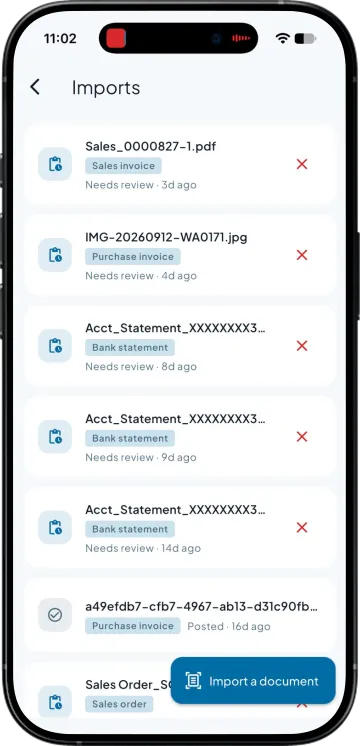
Bring in the statement you already download
The file your bank gives you, without anyone retyping a line of it. This is the same statement your accountant has been working through by eye.

Forty credits landed this week. Somebody has to work out which retailer sent each one and which bills it clears, and that somebody is usually you at nine at night.
Bank statement import takes the file your bank already gives you and turns each credit into a Tally entry. Takkada reads the narration and the account the money came from, suggests the party and the open bills it settles, and says why. You approve before anything posts, so nobody spends the evening matching credits to bills.
The file your bank gives you, without anyone retyping a line of it. This is the same statement your accountant has been working through by eye.
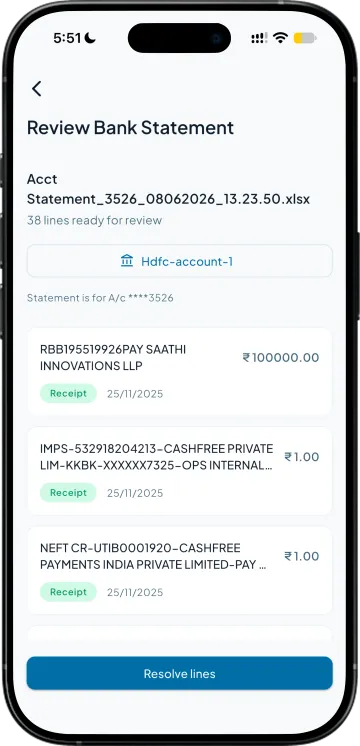
The narration and the UTR are used to work out who sent the money. A credit with a reference in it is matched on that reference rather than on the amount alone.
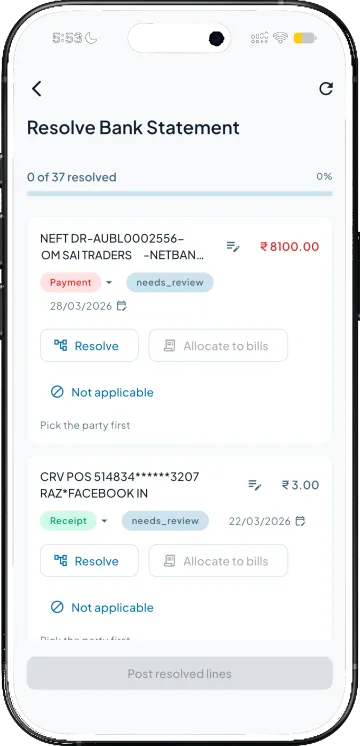
One payment covering three invoices is split across them rather than sitting on account. You see the proposed allocation before it becomes an entry.
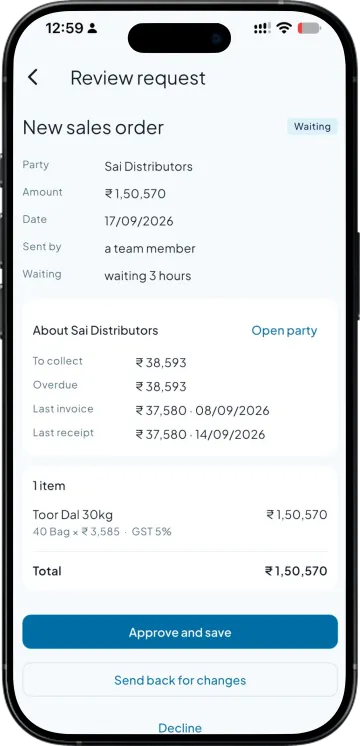
You approve the batch, and only then are the receipts written into Tally. A credit that cannot be attributed waits for you rather than being forced onto the nearest party.
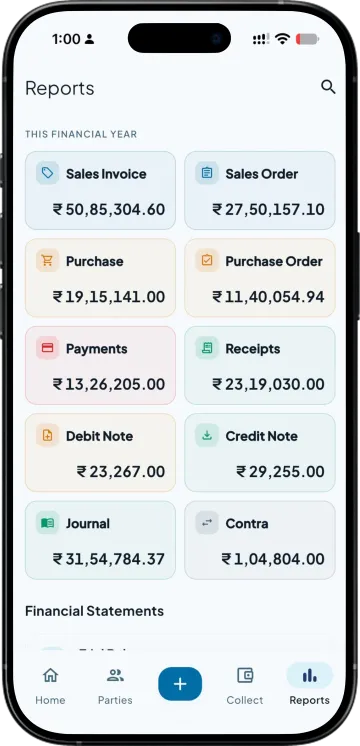
Receipts and payments for the year in one view, so the gap between what the bank shows and what the books show is something you can look at rather than something you dread.
What the app does today, read from the working build. The bold words are the point; the guide has the rest.
| What you need | Takkada | Other Tally mobile apps |
|---|---|---|
| Working out who sent the money | Narration and UTR read, party suggested | Matched by amount, or left to you |
| One payment against several bills | Split across the invoices it settles | Posted on account, allocated later by hand |
| Before it reaches your books | You approve the batch first | Varies, and some post directly |
| A credit nobody can attribute | Held for you rather than forced onto a party | Often dumped into a suspense entry |
| Where the entry ends up | A receipt in your Tally against the right bill | Sometimes only inside the app |
Checked on 8 August 2026 against the two Tally mobile apps distributors most often weigh against Takkada. We re-check this every fortnight, because their products move.
Bank statement import is part of the Copilot plan. It is no longer sold as a separate add-on.
Copilot ₹6,375/year + GST on a 3-year term
See what every plan includesUpload the statement file your bank already provides, and each credit is read and turned into a proposed receipt against a party and the invoices it settles. You review the batch and approve it, and the entries are then written into your Tally. Nothing is typed twice and nothing posts without you agreeing to it.
It reads the narration and the UTR on the credit rather than matching on the amount alone, which is what makes two retailers sending the same figure on the same day distinguishable. Where the reference is genuinely missing, the credit is held for you to attribute instead of being attached to whichever party looks closest.
It is split across the bills it settles rather than sitting on account against the party. This is the difference that matters at ageing time, because an unallocated credit leaves old invoices looking open when they have actually been paid, and your oldest slab reads worse than the truth.
No. The batch waits for your approval, and only the entries you approve are written into your books. This is deliberate. A reconciliation tool that posts on its own is one bad match away from a ledger you have to unpick by hand, which costs more than the reconciliation ever saved.
You still want the review, but the typing goes away. What used to be an evening of reading a statement line by line becomes a batch your accountant checks and approves. The exceptions, meaning the credits nobody can attribute, are surfaced separately so the work is spent where the judgement is actually needed.
Book a demo. We walk through your setup, your Tally version, and exactly what changes for your business.