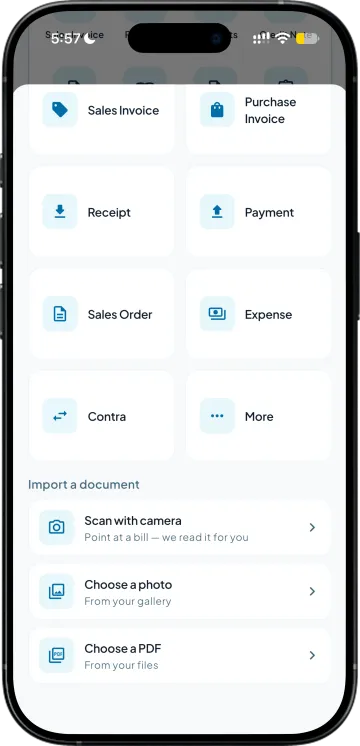
Photograph the page
The order book as it is, written in the market. No format to follow and nothing for the salesman to fill in twice.

The order book comes back at seven in the evening with thirty pages in it. Somebody types every line, and the mistakes only surface when the goods reach the wrong shop.
A handwritten order to Tally starts with a photograph of the page. The items and quantities are read off it exactly as written, and rates come from the page where it has them and from your own rates where it does not. Only what you approve is written into your books.
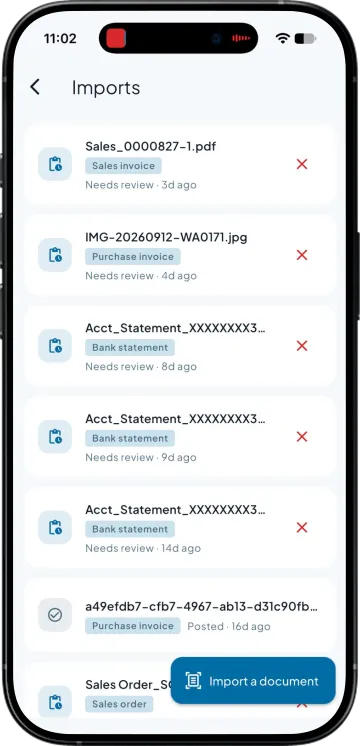
The order book as it is, written in the market. No format to follow and nothing for the salesman to fill in twice.
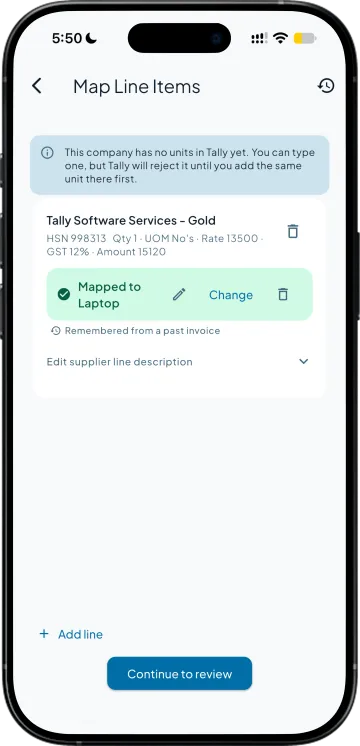
Items, quantities and rates are read off the page and matched against your item masters, so what you are checking is a voucher rather than a picture.
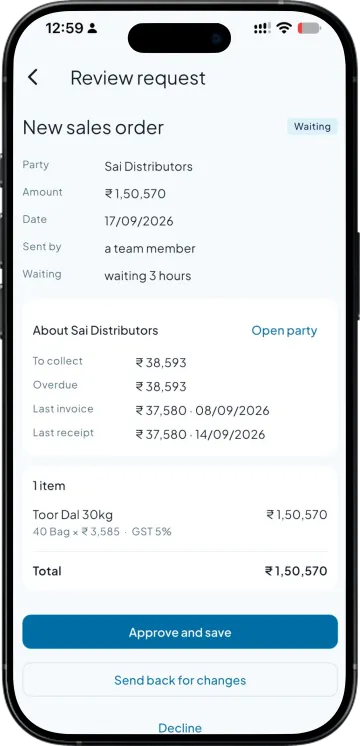
You correct anything that came back wrong and approve the rest. Nothing reaches your books that somebody has not looked at.
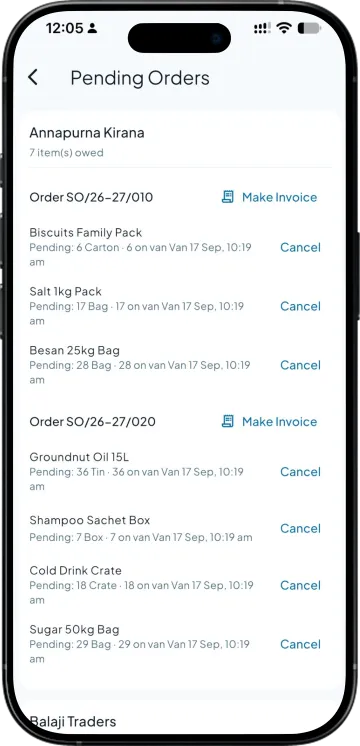
The approved draft is written in as a sales order against the right party, with the pending quantity tracked until it ships.
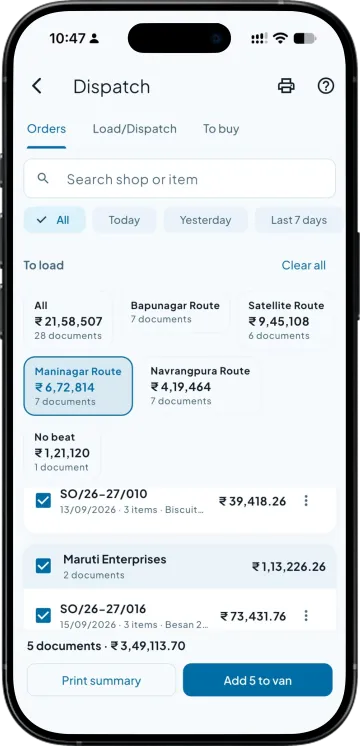
Converted to a challan or an invoice without being rewritten, and sent to the retailer with a payment link where collection is on.
What the app does today, read from the working build. The bold words are the point; the guide has the rest.
| What you need | Takkada | Other Tally mobile apps |
|---|---|---|
| Entering an order written on paper | Photograph it and check the lines before it posts | Not offered |
| Matching what is written to your item masters | Lines matched against your own items | Typed by hand at the desktop |
| Before it reaches your books | A person approves the draft | Manual entry throughout |
| Where the approved order lands | A sales order voucher in your Tally | Wherever it was typed |
| What happens next | Converts to a challan or invoice without re-entry | Re-keyed again at each step |
Checked on 8 August 2026 against the two Tally mobile apps distributors most often weigh against Takkada. We re-check this every fortnight, because their products move.
Reading an order or a supplier bill from a photo or PDF is part of the Copilot plan.
Copilot ₹6,375/year + GST on a 3-year term
See what every plan includesYes. You photograph the order book page and the items, quantities and rates are read off it and matched against your item masters, coming back as draft voucher lines. You check and correct them, and the approved draft is written into your Tally as a sales order against the right party.
You see the draft before anything posts, and you correct it there. This is why the review step exists rather than the entry going straight through. A wrong quantity that reaches your books unchecked costs far more to unpick than the few seconds it takes to look at the lines first.
No. The draft waits for a person, and only what is approved is written in. Everything the app puts into your books is something someone deliberately confirmed, which is the same rule that governs the bank statement import and the supplier bill import.
Yes. The same approach reads a purchase bill from a photo or a PDF and returns the line items for checking before the purchase voucher is created. Distributors usually start there, because supplier bills arrive in a format nobody controls and are the most tedious thing to key in.
No, and that is the point. Booking the order in the app against live stock is better where the team will do it, but the ones who have written orders on paper for twenty years keep their book, and the page gets photographed instead of typed up at night.
Book a demo. We walk through your setup, your Tally version, and exactly what changes for your business.