Barcode in Tally Prime, with the box quantity printed into every sticker.
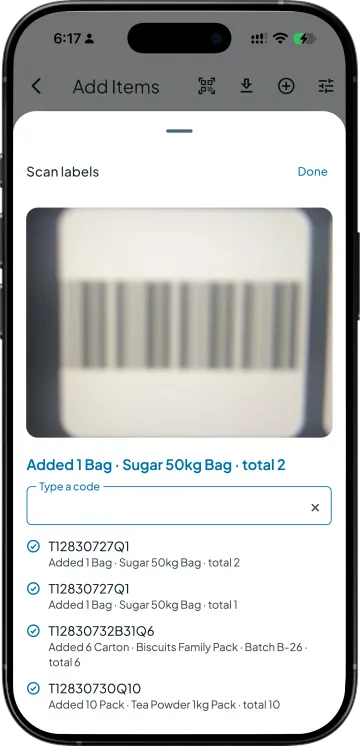
Print stickers for what just came in, stick one on each box, and bill by scanning. One scan of a 6-carton box puts 6 cartons on the bill, and the bill reaches Tally like any other.
Barcode in Tally Prime works through Takkada without a TDL: print stickers from a purchase bill or an item, each carrying the item and the quantity in that box. Scan them into a sales bill, challan, GRN or stock journal with the phone camera, a Bluetooth gun or a USB gun. The voucher reaches Tally as usual.
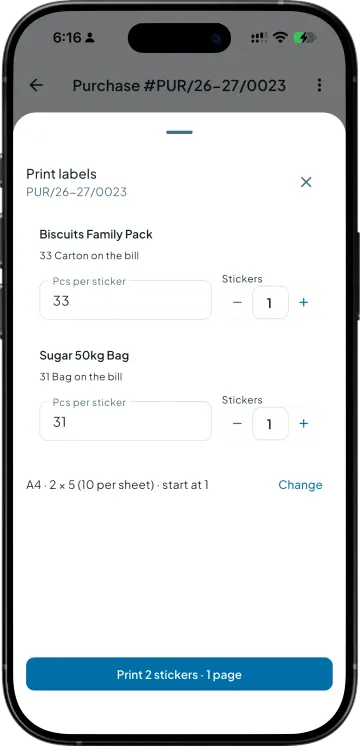
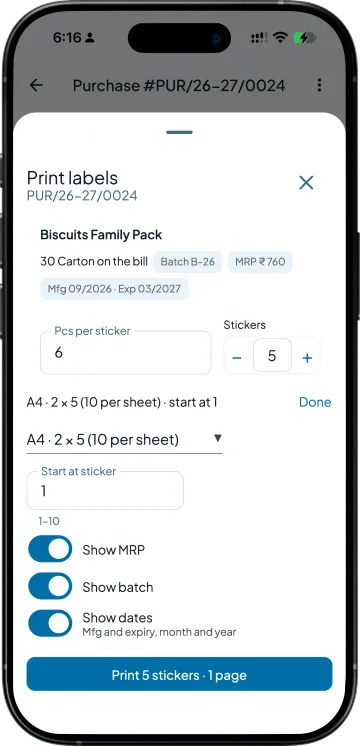
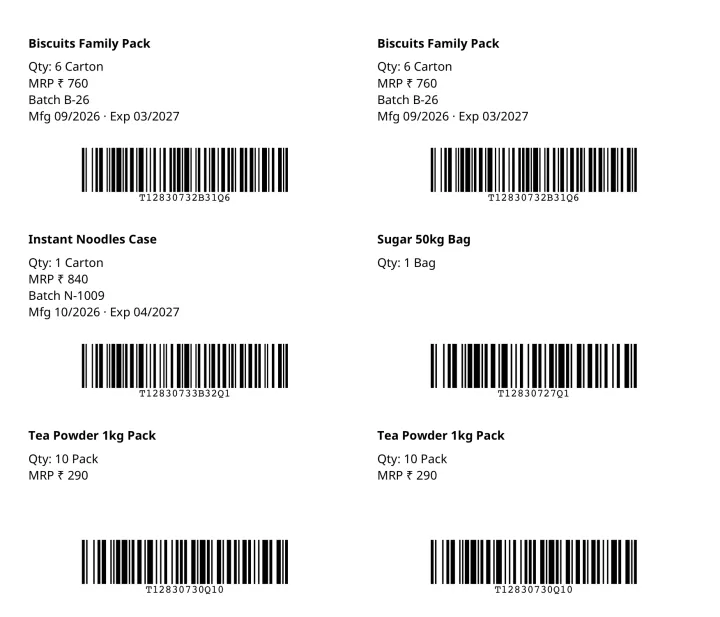
Open the purchase that just arrived and tap Print labels. Each line asks how many pieces go on one sticker and works out the count: 33 cartons at 6 a sticker is 6 stickers, with the last one saying 3. Print from one item, or tick several in the item list.
Batch, MRP and expiry on the label
For an item kept batch-wise, each batch gets its own row and its own barcode. Switch on Show MRP, Show batch and Show dates, and the sticker carries the MRP, the batch number and the Mfg and expiry month, so the godown picks the right box.
Scan the box, the quantity lands
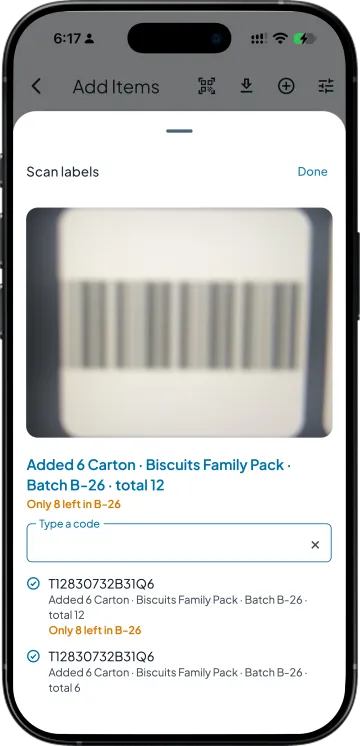
Tap the scan icon on a sales bill, challan, GRN or stock journal and point the phone camera, or use a Bluetooth gun. On the computer, a USB gun does the same job. Scan past what a batch holds and the app says how many are left.
The maker's barcode works too
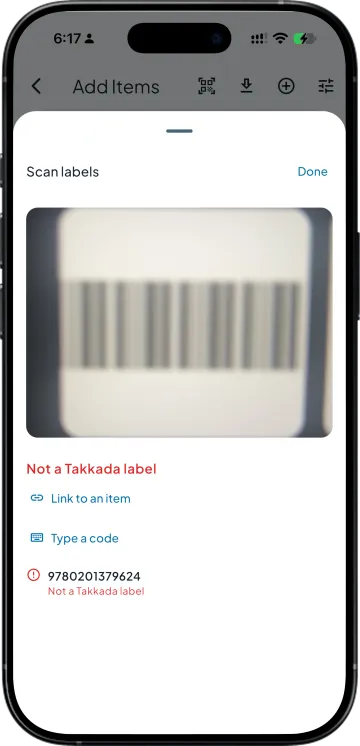
A box that already carries a company EAN does not need a second sticker. Scan it once, tap Link to an item, pick the item and the quantity in that pack, and every later scan of that barcode adds it. Only a business admin can link a code.
Receive against the order by scanning
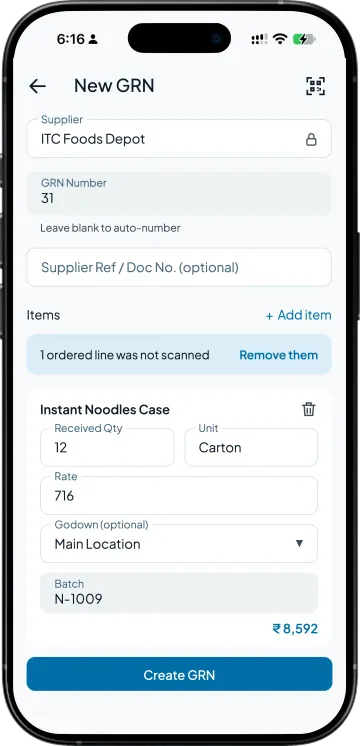
Make the GRN from the purchase order and scan the boxes as they come off the truck. Each scan fills the received quantity, and the app tells you which ordered lines nobody scanned, so a short supply is caught at the gate, not at the supplier's next bill.
THE STICKER
What prints on the sticker
The item name, the quantity in that box, and a barcode that carries both. MRP, batch and dates when you switch them on, and the Tally part number above the bars when the item has one. A4 sheets of 10, 12, 24, 40 or 65 stickers, a thermal roll, or a custom size, from any printer your computer or phone can print to.
SIDE BY SIDE
Barcodes on top of Tally, against barcodes inside it
What you need
Takkada
Tally Prime on its own
Printing barcode stickers
From a purchase bill, an item or a picked list, on A4 sheets or a thermal roll.
A barcode can sit in the item alias; the stickers come from a separate tool or a TDL.
Quantity in one scan
The sticker carries the box quantity, so one scan adds the whole box.
A scan finds the item; the quantity is typed.
Where the scanning happens
Phone camera, Bluetooth gun, or a USB gun on the computer.
A USB gun at the desk running Tally.
Batch, MRP and expiry
Printed on the sticker, and the scan books the batch on the line.
Picked from the batch list on every line.
Comparison describes Tally Prime without a barcode add-on. A TDL or partner customisation may add some of this to your Tally.
Barcode labels is an add-on on every plan, starting here. Ask your partner for the add-on price.
Yes. Tally Prime can keep a barcode in the stock item alias and a USB scanner can type it into a voucher. What it does not do on its own is print sticker sheets or put the box quantity in the code. Takkada adds both on top of your Tally, and the bill still lands in Tally as a normal voucher.
Open a purchase bill, an item, or tick several items in the item list, and tap Print labels. Set the pieces per sticker, pick the sheet size and the sticker to start from, so a half-used sheet is not wasted, and print. The phone app opens the print dialog, and on the computer it goes to your printer.
Any USB barcode gun that types like a keyboard works on the computer: scan into the bill and the line appears with its quantity. On the phone, pair a Bluetooth scanner or use the camera from the scan icon on the bill. Nothing needs to be installed in Tally for either.
No. Nothing is installed inside Tally. Takkada keeps its own copy of your items and stock in step with Tally, prints the stickers from that, and writes the bills you scan back into Tally as ordinary vouchers. Your Tally setup, your TDLs and your partner customisations stay as they are.
Any printer your computer or phone can print to. Pick A4 sticker sheets of 10, 12, 24, 40 or 65 labels, a thermal roll with its own label size, or type a custom size. The stickers are laid out to that sheet, so the barcode sits inside each label when it prints.
Yes, once it is linked. Scan the maker's barcode, tap Link to an item, and choose the item and how many pieces that pack holds. After that, every scan of that barcode adds that quantity. Linking is kept to the business admin, so a salesman cannot point a code at the wrong item.