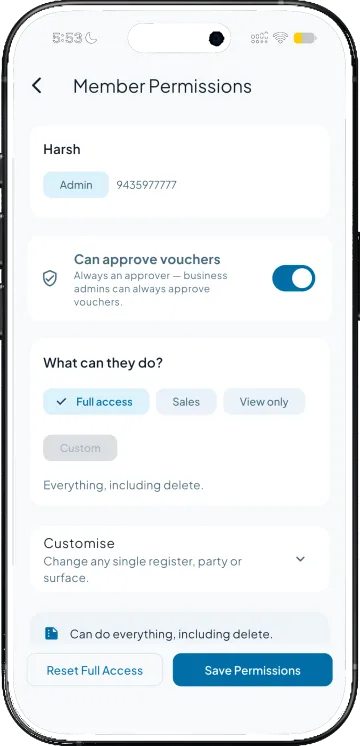
You choose what needs a checker
Tick the voucher kinds that must be approved, invoices, orders, receipts or any of the rest, and switch on Can approve vouchers for the people who check them.

Review pending vouchers and make approval decisions directly from your phone. Keep control over business transactions without needing to be at your desk.
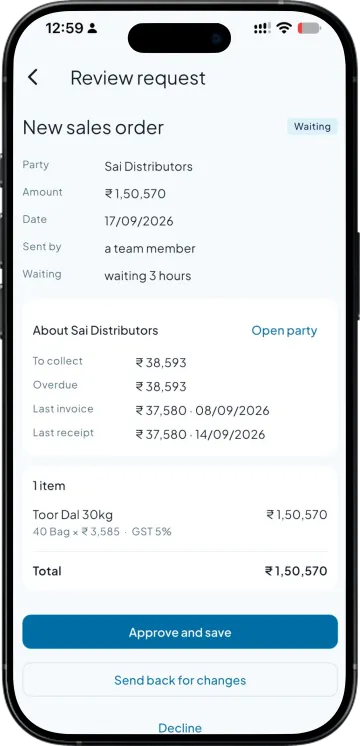
Tick the voucher kinds that must be approved, invoices, orders, receipts or any of the rest, and switch on Can approve vouchers for the people who check them.
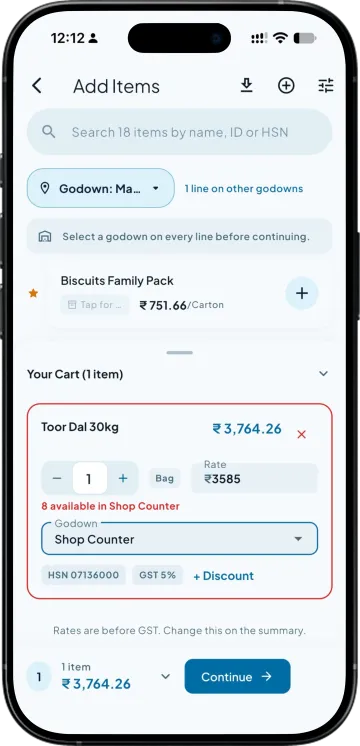
He fills the order or the invoice the way he always has. Save sends it to the approver instead of the books, and he can see it waiting.
The party's dues and last payment, every line with rate and GST. Correct a wrong rate, then approve and save, send it back with a note, or decline.
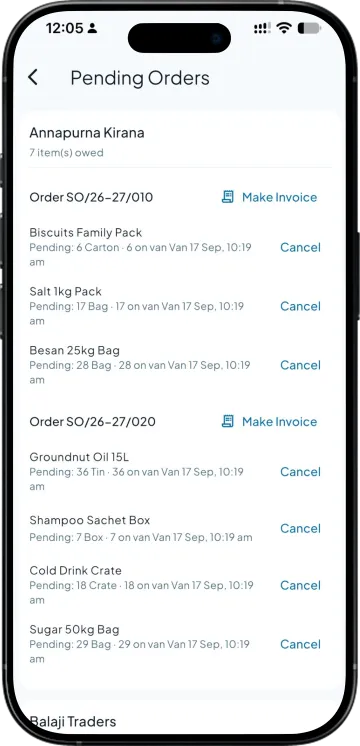
There is no second step. The approver's save is what reaches your Tally, and the request keeps its history: who sent it, who sent it back, who approved.
| What you need | Takkada | Other Tally mobile apps |
|---|---|---|
| A team member's entry before it reaches Tally | Waits for an approver you named | Posts the moment it is saved |
| Which entries need a checker | Chosen per voucher kind | All or nothing, if offered at all |
| What the approver sees | The party's dues and every line, editable | A summary, or the ledger afterwards |
| Sending it back for a correction | With a note, to the person who made it | Delete it and ask him to redo it |
| Record of who approved what | Kept on every request | Not kept |
Checked on 20 September 2026 against the two Tally mobile apps distributors most often weigh against Takkada. We re-check this every fortnight, because their products move.
Voucher approval is a paid module you can add to any plan, starting here. Role-based access comes with every plan. Ask your partner for the module price.
Momentum ₹3,375/year + GST on a 3-year term
See what every plan includesAny of the voucher kinds the app raises: sales invoices, sales orders, purchase invoices, purchase orders, receipts, payments, credit and debit notes and the rest. You tick the kinds in Settings, so a receipt can need a checker while a sales order does not.
Every business admin, and any member you switch on with Can approve vouchers in Member Permissions. The person who made the entry cannot approve his own. A member without the switch still sees his own requests and where each one stands.
Yes. The review opens the same form the maker filled, with the party's dues alongside, so a wrong rate or quantity is corrected there and then. The maker is told the request was approved with changes rather than finding out from the ledger.
The maker gets it back with the approver's note, fixes it and resubmits. The request keeps every step in its history, so a month later you can still see who sent what back and why. Declined requests stay on record too.
No. The request sits outside your books as a draft the approver can read. Only the approver's save is written into Tally, as the voucher it was always going to be, under your normal number series.
Book a demo. We walk through your setup, your Tally version, and exactly what changes for your business.