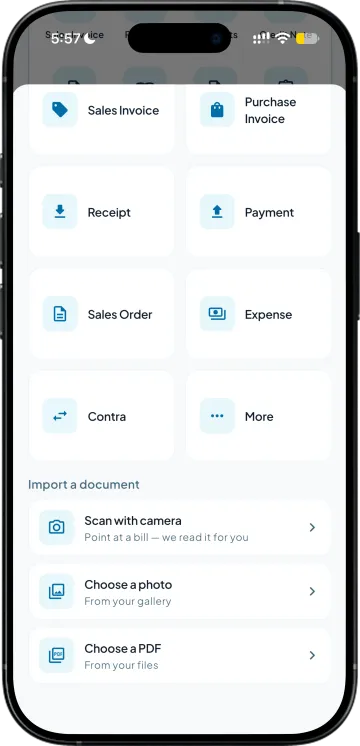
Send it the bill however it arrived
A PDF from the supplier, or a photo of the paper copy taken at the godown. Both go in the same way, which matters because half of them still come as paper.

Supplier bills often arrive as PDFs or photos, and entering each item manually takes time. Simply upload or photograph the bill. Takkada reads the details, matches items with your stock list and prepares a purchase voucher for you to review.
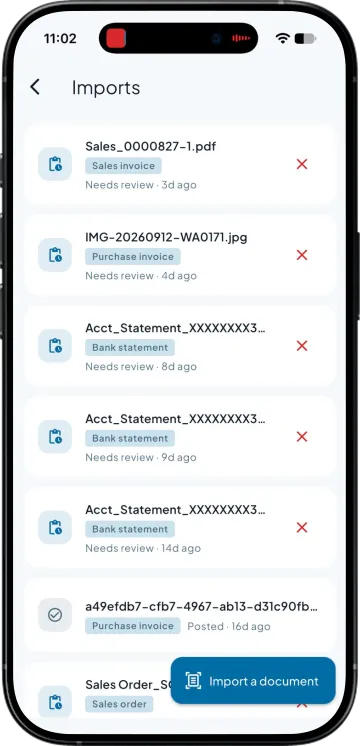
A PDF from the supplier, or a photo of the paper copy taken at the godown. Both go in the same way, which matters because half of them still come as paper.
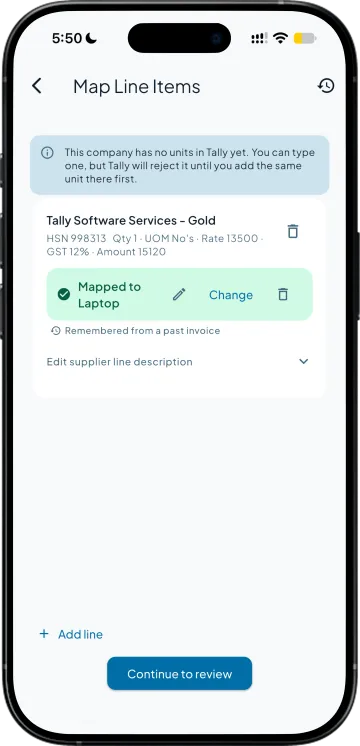
Items are matched to the stock items you already have, the supplier to the ledger you already use, and unit differences between his case and your piece are reconciled rather than creating a duplicate master.
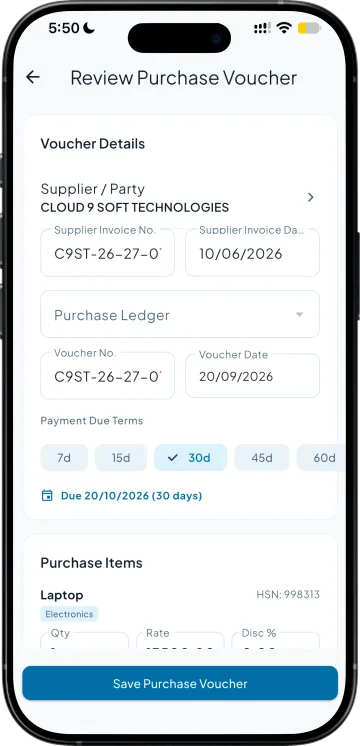
The draft is shown line by line with what it read and what it matched. You correct anything that looks wrong and approve it, so a misread rate never reaches your books quietly.
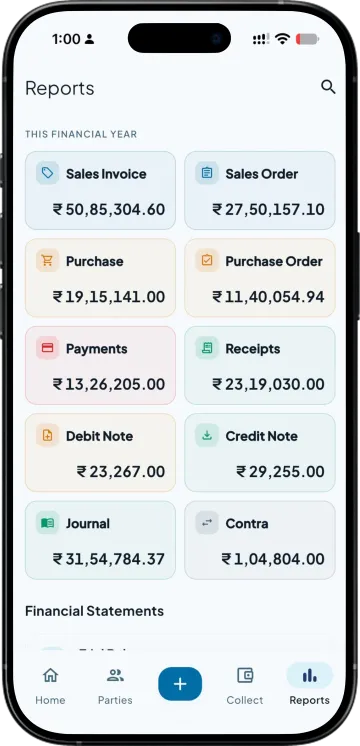
Because the bills go in as they arrive rather than in a weekend batch, your payables and your purchase register are worth reading on a Tuesday afternoon.
What the app does today, read from the working build. The bold words are the point; the guide has the rest.
| What you need | Takkada | Other Tally mobile apps |
|---|---|---|
| Entering a purchase bill from a PDF or a photo | Read, matched and posted after review | Not offered, so it is typed |
| Matching to your existing item and party masters | Matched to what you already have | Not applicable |
| When his unit differs from yours | Case against piece reconciled on the line | Corrected by hand afterwards |
| Review before anything posts | Line by line, approved by a person | Not applicable |
| A handwritten order slip | Photographed and turned into a sales order the same way | Typed in |
Checked on 8 August 2026 against the two Tally mobile apps distributors most often weigh against Takkada. We re-check this every fortnight, because their products move.
Import from PDF is part of the Copilot plan, along with bank statement import. It is no longer sold as a separate add-on.
Copilot ₹6,750/year + GST on a 3-year term
See what every plan includesYou catch it before it matters, because nothing posts on its own. The draft is shown line by line with what was read off the bill and what it was matched to, and you approve or correct each line. The entry only becomes a purchase voucher in Tally after a person has said yes to it.
It matches against the masters already in your books rather than creating new ones, including when the supplier writes an item slightly differently from the way you have named it. Where his unit of measure differs from yours, a case against a piece for instance, that is reconciled on the line instead of becoming a second master.
Both work. A PDF emailed by the supplier and a phone photo of the paper copy go in the same way, which matters because a large share of supplier bills in this trade still arrive as paper handed over with the goods. A reasonably flat, readable photo is enough.
Yes. A retailer’s order written on a slip can be photographed and turned into a sales order against the right party and items, which saves the salesman punching it again in the evening. It goes through the same review step, so nothing reaches the books unchecked.
As a purchase voucher in your Tally against the supplier ledger you already use, exactly as though it had been typed there. Your payables, your purchase register and your stock all move with it, and there is no separate place where imported bills live.
Book a demo. We walk through your setup, your Tally version, and exactly what changes for your business.