Order booking app for Tally, and your retailer installs nothing.
The order reaches you at nine at night. A voice note, a photo of a diary page, and somebody types it into Tally in the morning and hopes the rates were right.
Takkada is an order booking app for Tally where your retailer needs nothing installed. You send him a link on WhatsApp. He opens your catalogue at your rates, puts in quantities, and sends the order. You approve it with one tap and it becomes a sales order in your Tally.
He opens it and your catalogue is already there, at the rates you decided. He finds an item by typing a few letters and sets the quantity in the unit you actually sell in. Nothing to download, no account to make, no password for him to forget and ring you about.
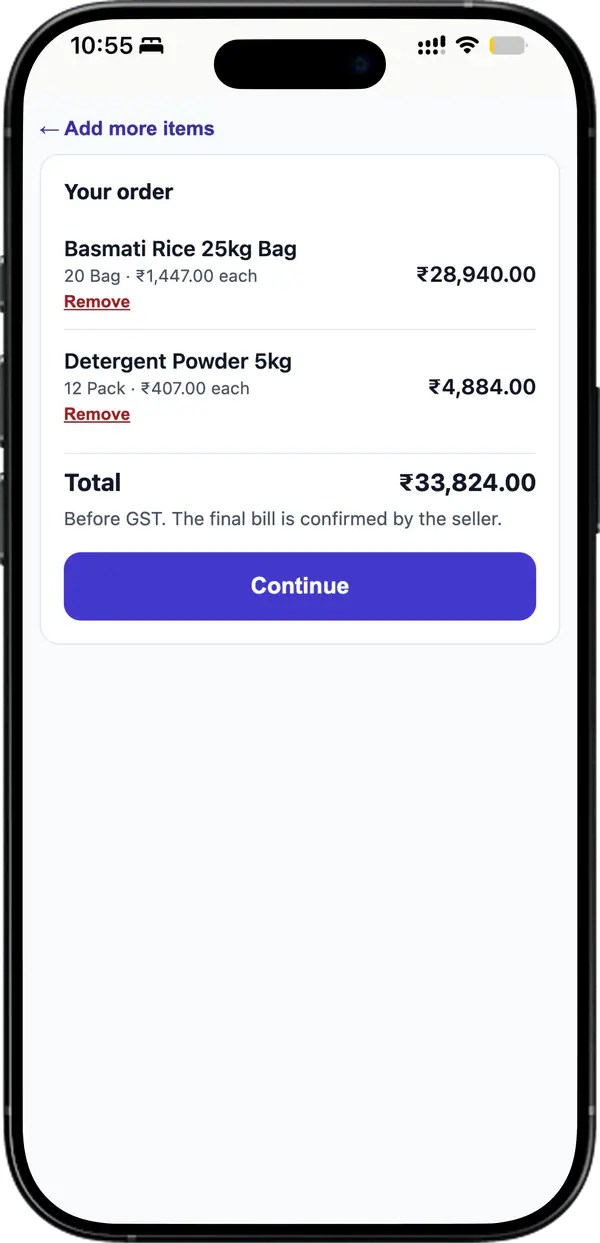
He checks the order and the total before it goes
Every line carries its rate and its amount, and the total is marked before GST so the bill is no surprise later. He can drop a line and add another. Rates come from your books, so nothing is negotiated in his browser.
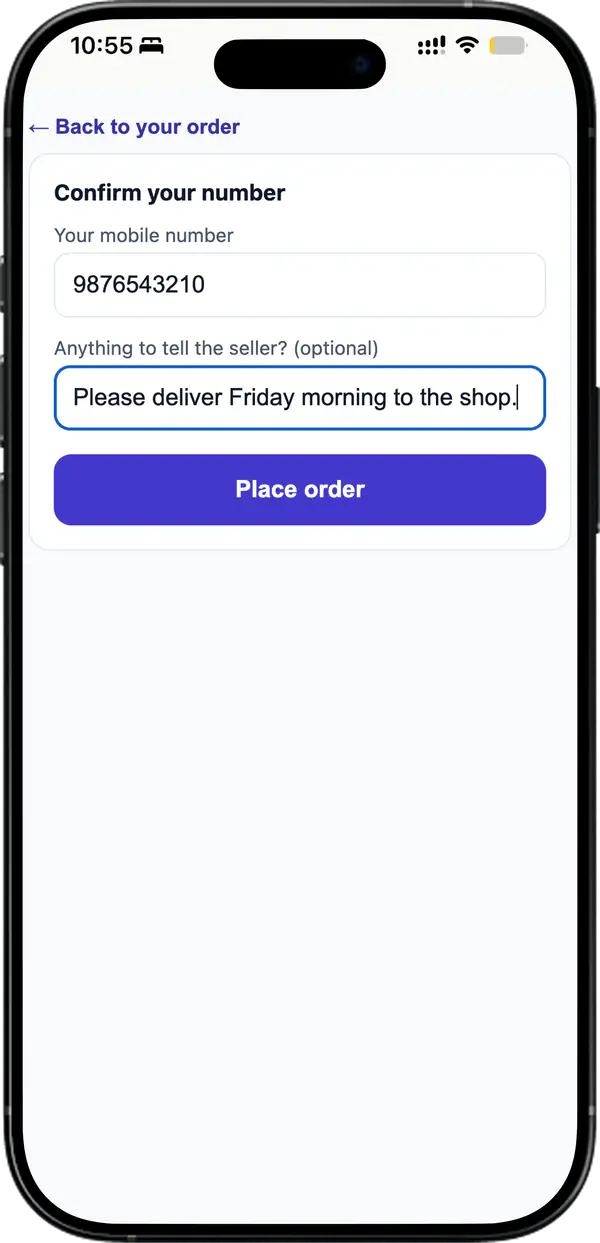
He sends it with his mobile number and nothing else
No login and no OTP. He types his number, adds a line about delivery if he wants, and that is the whole form. On a personal link his shop name is already on the order, so he never types who he is.
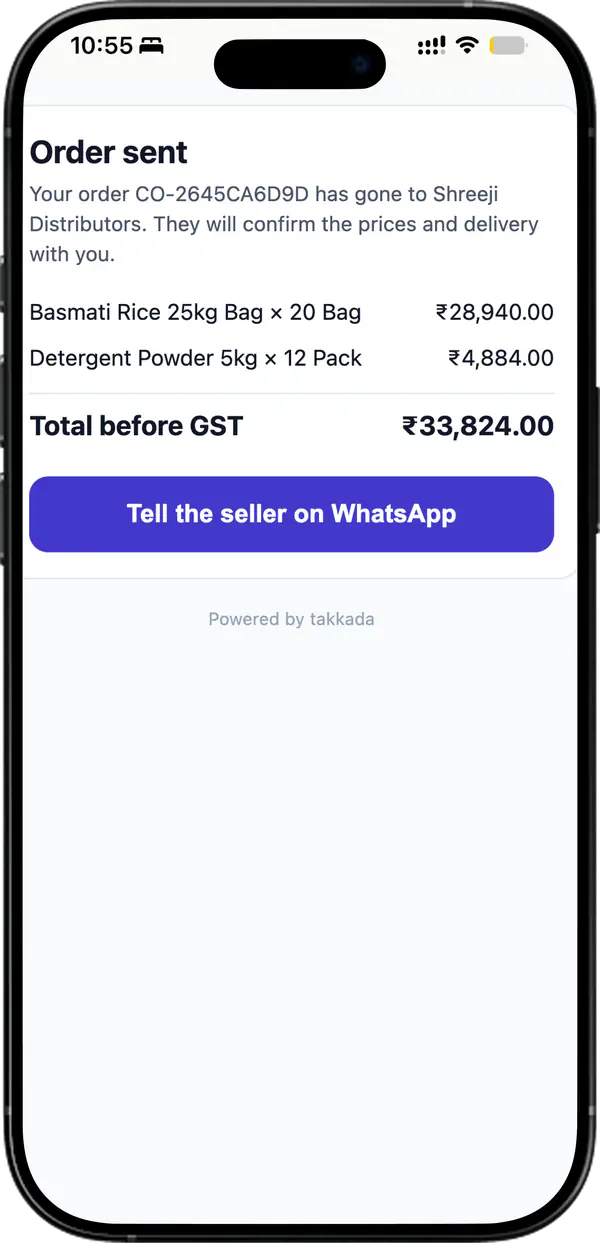
He gets a reference, and the thread stays on WhatsApp
The order comes back with its own number, so a later call about it has something to name. One tap tells you on WhatsApp, which is where he was going to message you anyway.
It lands with you, and you decide
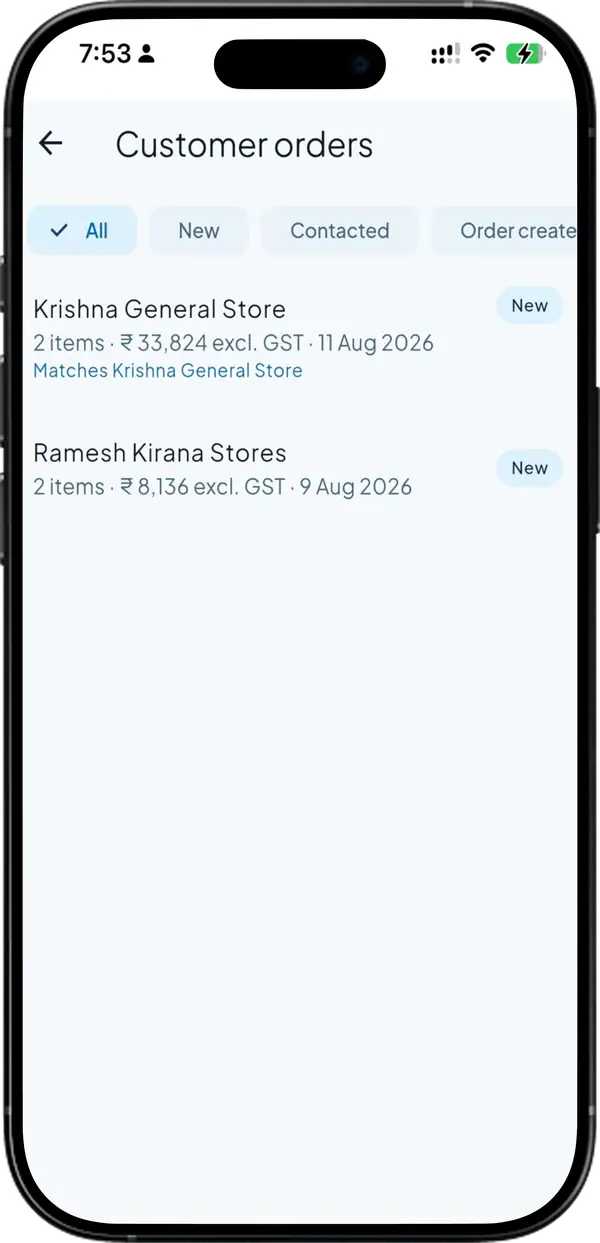
The order arrives in your inbox against the party it matched in your books, so you know who sent it before you open it. Approve it and it becomes a sales order in your Tally. Nobody retypes the lines, and the rates were yours the whole way.
SIDE BY SIDE
What your retailer has to do before he can order
What you need
Takkada
Other Tally mobile apps
What the retailer installs
Nothing. He opens a link in whatever browser his phone already has
A buyer app, or an account on a portal
How he signs in
He does not. He confirms his mobile number when he sends the order
Registration, then a password or an OTP each time
What price he sees
Your Tally rates, a price level, rates you set on the link, or no prices at all
Usually one list, the same for every buyer
Rates for a particular party
A personal link carries that party’s own rates and names him on arrival
Not offered on a public catalogue
Where the price is decided
On the server, from your books, at browse and again at submit
Varies, and a browser-side price can be edited
What the order becomes
A sales order in your Tally once you approve it
A record in the app, often re-entered by hand
Checked on 11 August 2026 against the Tally mobile apps distributors most often weigh against Takkada. We re-check this every fortnight, because their products move.
The Customer Order Link is an add-on you switch on per business, and it needs a plan under it: an approved order becomes a sales order in your Tally, which starts here. Both figures are on the rate card.
It is a way for your customers to place orders that land in your Tally without anybody retyping them. With Takkada the customer does not get an app at all. You send a link on WhatsApp, he opens your catalogue at your rates, picks quantities and sends the order, and you approve it into your books as a sales order.
No. The link opens in whatever browser is already on his phone, and there is no download, no registration and no password. When he sends the order he confirms his mobile number, which is the only thing he types about himself. That is deliberate, because a retailer who has to make an account will simply send a voice note instead.
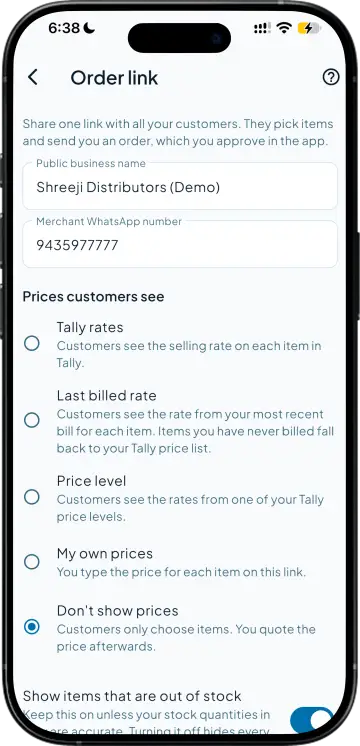
You choose per link. It can show the rates sitting in your Tally, the rates from a price level you already maintain, rates you set on the link itself, or no prices at all if you would rather confirm them yourself. Whichever you pick, the price is worked out on the server from your books, both while he browses and again when he sends the order.
Yes. A link can be tied to one party in your books, and that link carries that party’s rates and arrives already named as him, so he never fills in who he is. Your other customers get a different link, and neither one can see what the other pays.
He can identify himself with his GSTIN and the registered name fills itself in, so you get a usable name rather than whatever he felt like typing. If that GSTIN already belongs to a party in your books, the order arrives flagged as a match to that party instead of creating a second version of the same customer.
Only after you approve it. Every order sits in your inbox first, with the items, the quantities and the party it matched to. Nothing reaches your books until you accept it, so a stray or duplicate order stays out of Tally rather than being something you have to go and delete.
Yes, that is a setting on the link. You can leave out-of-stock items off the catalogue entirely, or leave them showing so a retailer can still order against a shipment that is on its way. Either way the buyer never sees your stock counts, only whether an item is there to order.