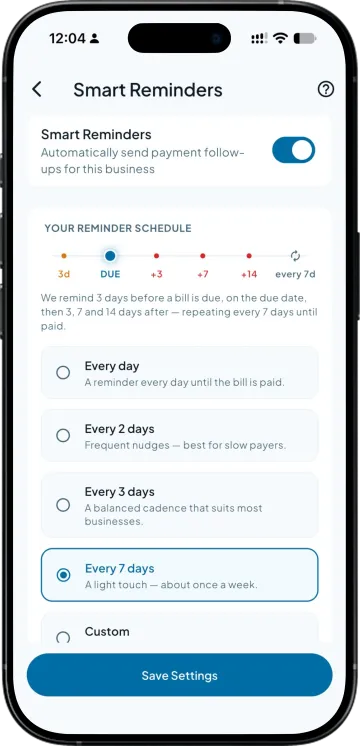
You set the cadence, not the messages
Decide how many days before the due date the first nudge goes, and how often one follows after. The app picks the wording for where that bill stands, so nobody is drafting anything.

Keep track of outstanding payments and send reminders to customers without making repeated calls. Help customers remember their dues and follow up on payments more easily.
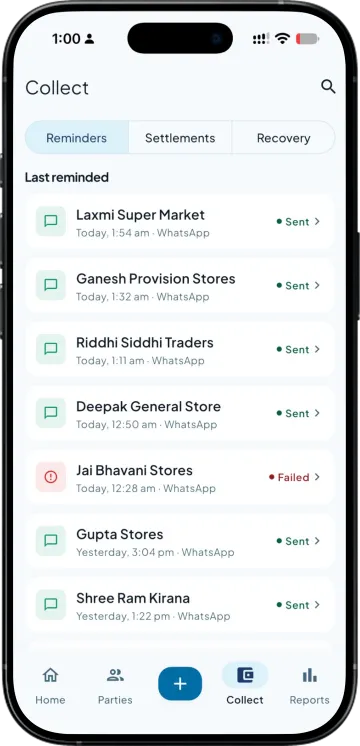
Decide how many days before the due date the first nudge goes, and how often one follows after. The app picks the wording for where that bill stands, so nobody is drafting anything.
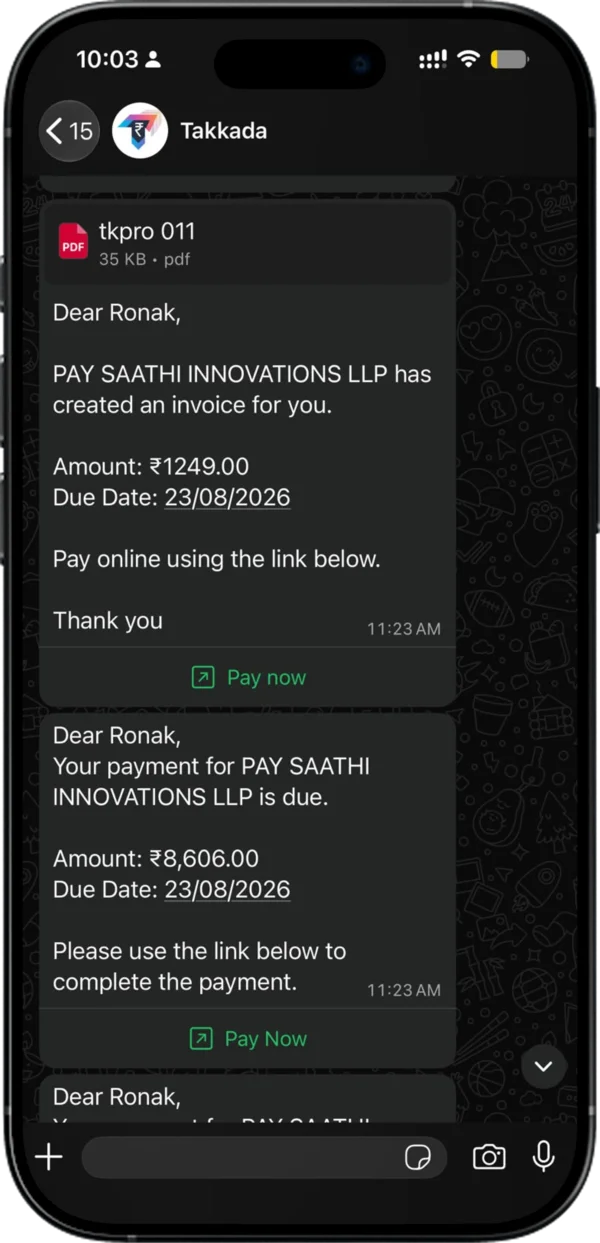
The retailer gets the invoice PDF and his ledger in the same message, so the reply is not "kaunsa bill". A payment link sits in it too, which turns the reminder into the place he pays.
A limit per party per day, and parties you can hold back entirely. Your biggest retailer does not get four messages because four of his bills came due together.
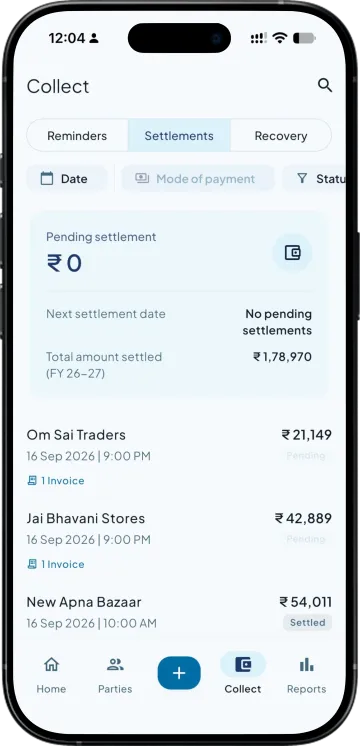
The reminder run reads live outstanding from your books, so a bill that got settled drops out of the next cycle. Nobody is chasing money that already came in.
| What you need | Takkada | Other Tally mobile apps |
|---|---|---|
| When reminders go out | Before the due date and after it, on a schedule you set | Usually only once a bill is already overdue |
| What is in the message | Invoice PDF, ledger statement and a pay link | A text line with the amount |
| Protection against over-messaging | A cap per party per day, and parties you can hold back | One message per open bill |
| Paying from the reminder itself | Yes, at 0% MDR on UPI collections | No link, or a link with a cut taken from it |
| Stopping once the bill is paid | Reads live outstanding, so a settled bill drops out | Depends on someone updating the list |
Checked on 8 August 2026 against the two Tally mobile apps distributors most often weigh against Takkada. We re-check this every fortnight, because their products move.
Reminders are set up from the entry plan and go out automatically on WhatsApp from Takkada's number. Sending them from your own WhatsApp number is a paid add-on, on any plan.
Momentum ₹3,375/year + GST on a 3-year term
See what every plan includesYes, with your own WhatsApp Business number, a paid add-on, so ask your partner for it. Without it, automatic reminders go out from Takkada's WhatsApp number, and you can still share a ledger or invoice by hand from your phone, free.
Two ways. A cap limits how many messages one party can receive in a day no matter how many of his bills came due together, and you can hold specific parties back from the automatic run entirely. For those you keep the manual send, which is two taps when you decide the moment is right.
A WhatsApp message naming the invoice and the amount, with the invoice PDF and his ledger statement attached, and a payment link he can pay from immediately. Having the ledger in the same message removes the usual round of him asking which bill you mean and you digging out a statement.
No. Each run reads current outstanding from your books rather than a list somebody maintained by hand, so an invoice that has been settled is simply not in the next cycle. This is the failure that makes distributors switch reminders off, and it is the reason the schedule is driven off live balances.
Yes. Open the party, tap send, and the same message goes out with the invoice and ledger attached. Distributors normally run the automatic schedule for the whole book and use the manual send for the handful of parties where they want to pick the timing themselves.
Book a demo. We walk through your setup, your Tally version, and exactly what changes for your business.