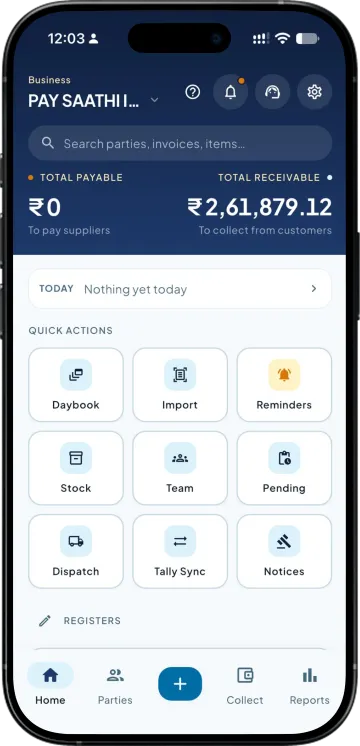
Screens built for a phone
Registers, parties and reports laid out for a thumb rather than a mouse. Nothing to zoom into, and nothing that needs a keyboard you do not have with you.

View your business information on your phone without having to connect to your office computer through remote access software. Get the information you need wherever you are.
Registers, parties and reports laid out for a thumb rather than a mouse. Nothing to zoom into, and nothing that needs a keyboard you do not have with you.
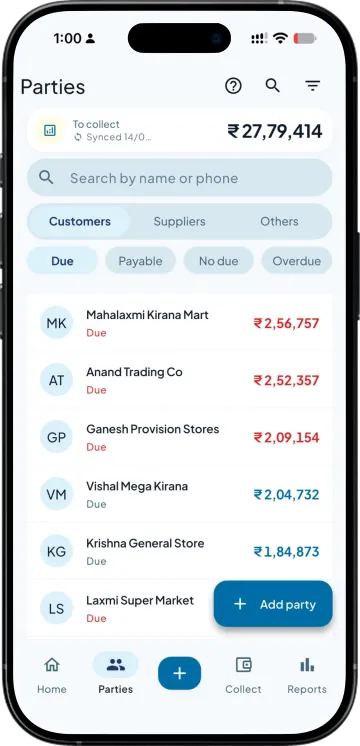
Party balances and outstanding invoices you can search and tap through. A remote session shows you the desktop; this gives you the data underneath it.
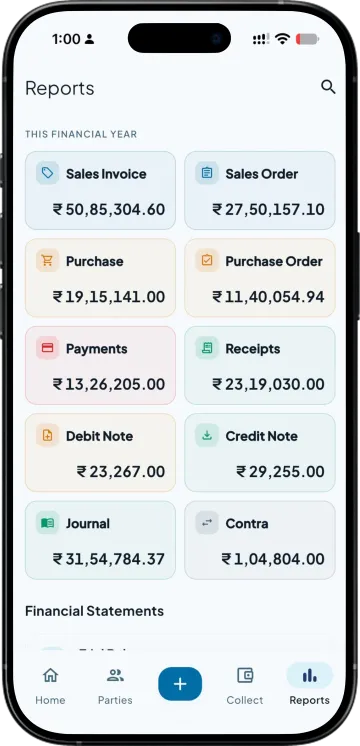
A summary of sales, receipts, purchase and payments loads over an ordinary mobile connection, in a market street where a remote desktop session would time out.
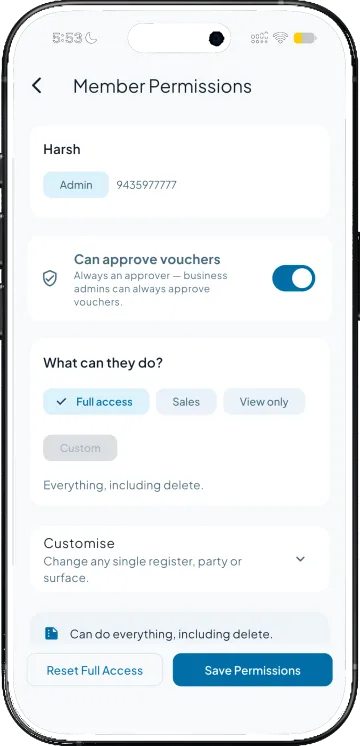
Remote tools give whoever holds the credentials your entire machine. Here each person gets an account with rights set per register, and the ledgers and stock groups they can see are set by you.
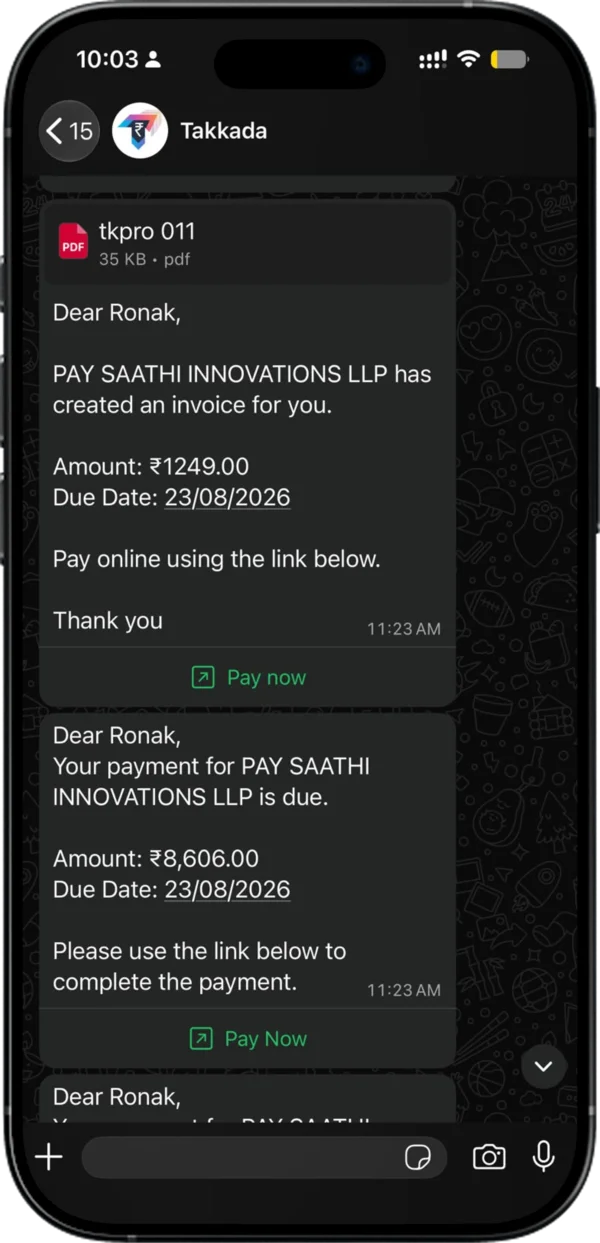
Send a statement, raise an invoice, take a UPI payment. The trip back to the office to do the thing you just decided to do stops being part of the job.
| What you need | Takkada | Remote desktop and screen-sharing tools |
|---|---|---|
| What you are looking at | Screens designed for a phone | A desktop screen shrunk onto a phone |
| The office machine | Syncs when it is on, and the app keeps working when it is not | Must stay powered on and connected for you to see anything |
| Behaviour on a weak mobile signal | Loads over ordinary 4G | Sessions lag or drop |
| What a second person gets access to | An account limited to the registers, ledgers and stock groups you allow | The whole machine, and everything on it |
| Doing the work rather than viewing it | Invoice, receipt, statement and UPI collection from the phone | Whatever you can drive through the remote screen |
Compared against the remote desktop and screen-sharing tools distributors most often use to reach Tally from outside the office, as of 8 August 2026.
Reading the books and creating vouchers from the phone are both in the entry plan.
Momentum ₹3,375/year + GST on a 3-year term
See what every plan includesYes. Instead of driving the desktop screen remotely, a connector on the machine running Tally syncs your books with a mobile app. You get party balances, outstanding, registers and reports laid out for a phone. There is no session to establish, nothing to zoom into, and no remote-control software sitting on your office machine.
It has to be on for the sync to pick up new vouchers, the same as it would be during your working day. It does not need to stay on for you to read your books. Once your data has synced you can open the app on a Sunday with the office shut and still see where every party stands.
It is a narrower grant. A remote tool hands over the whole machine to whoever has the credentials, including files that have nothing to do with Tally. Here each person gets their own account, with view and create rights set per register, and you decide which ledgers and stock groups they can see at all.
It loads over an ordinary 4G connection, which is where remote desktop sessions usually become unusable. Visit check-in and check-out are saved on the phone without signal and upload when signal returns. Creating an order, invoice or receipt needs a working data connection. In a dead-signal pocket you will have to move to where there is signal before an order, invoice or receipt goes through.
Your Tally installation stays where it is and stays the system of record. The connector syncs the company data you point it at so the app can show it to you, in the same way any mobile app for Tally has to. Nothing is rewritten in your books except the vouchers you deliberately create from the app.
Book a demo. We walk through your setup, your Tally version, and exactly what changes for your business.